Lovable project instructions and everything else the agent reads
By Christophe Paka · Facts checked on 1 November 2026
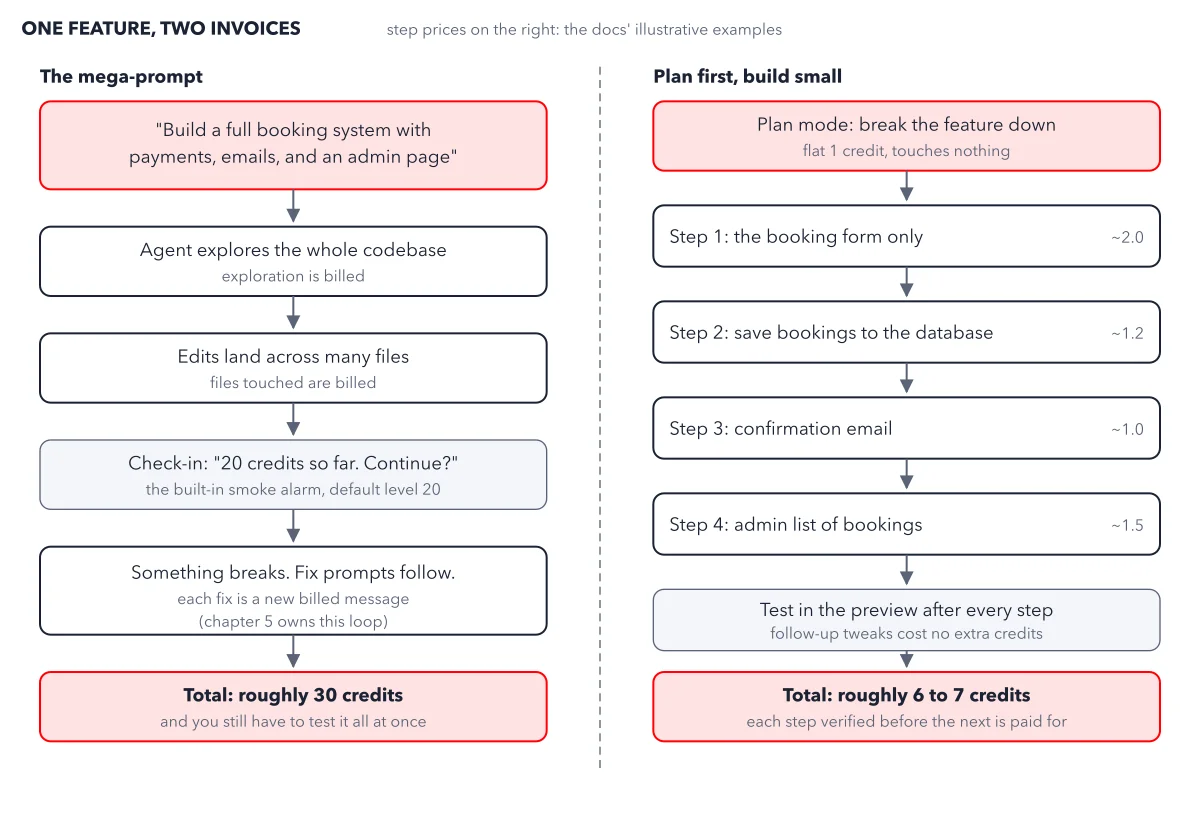
You told the agent three times that prices are in euros. On the fourth change it shows dollars again, and you pay for one more fix prompt. Repeating your rules in every message is tiring, and forgetting one costs credits.
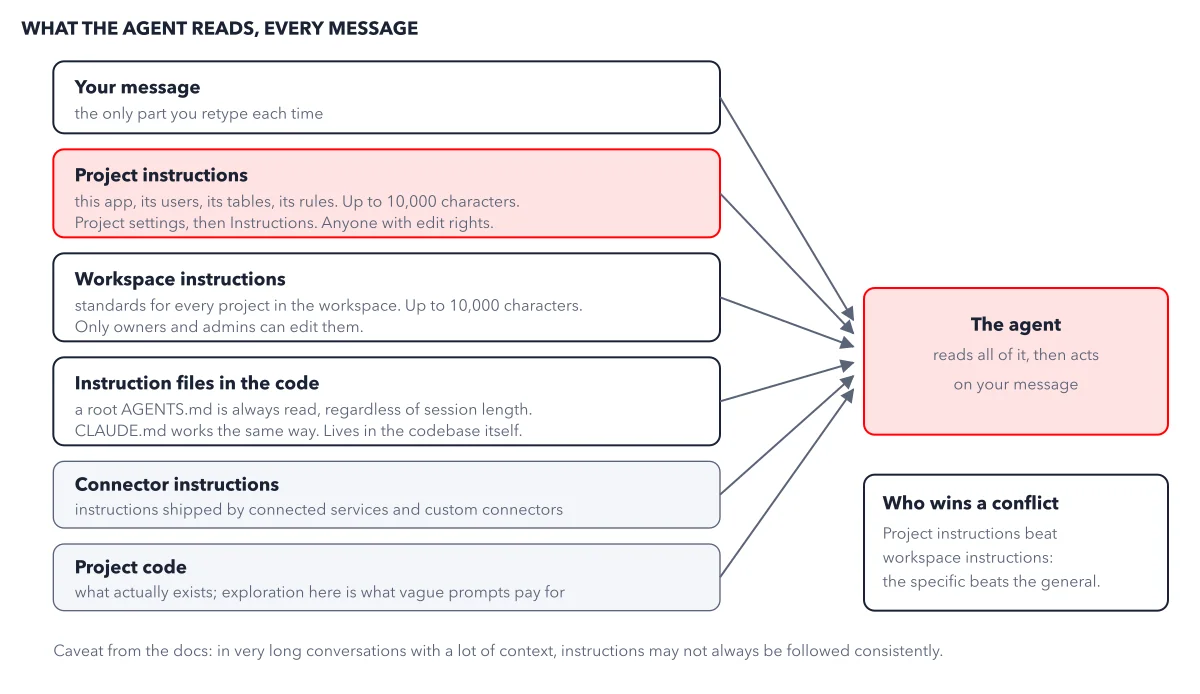
Lovable project instructions solve this. You write your rules once, and the agent reads them with every message. Older guides call them project knowledge, or the Knowledge tab. The figure below stacks everything the agent reads, and shows who wins when two sources disagree.
How to read this figure
Start at the top: your message. Your message is the only part you retype each time. Everything below it, the agent reads on its own, every time you press Enter.
Read the red box: project instructions. Project instructions are standing orders for one project: what the app does, who uses it, its tables, its rules, the words your business uses. Anyone with edit rights can change them under Project settings, then Instructions.
Compare workspace instructions. Workspace instructions are standing orders for every project in a workspace: coding style, brand voice, things to avoid. Only workspace owners and admins can edit them, so a team can set rules every project follows.
Note the files inside the code. If you never open code, skip this box: it is for developers who join your project. They keep rules in plain text files inside the code. The agent always reads a file named AGENTS.md at the top of the code, however long the session, and a CLAUDE.md file works the same way. On a big app, keep the key rules in project instructions and the long detail in AGENTS.md.
Read the last sources and the conflict rule. Connected services, the outside tools you link to your app, can add their own instructions. The project code is what exists; exploring it is what vague prompts pay for. When project and workspace instructions disagree, the project wins: the specific beats the general. The caveat below: in very long conversations, instructions may not always be followed.
Key takeaways
- Write your project instructions as a short list of direct rules, and reread them every few weeks to delete what is no longer true.
- Start a fresh conversation for a fresh feature, so long context does not crowd out your rules.
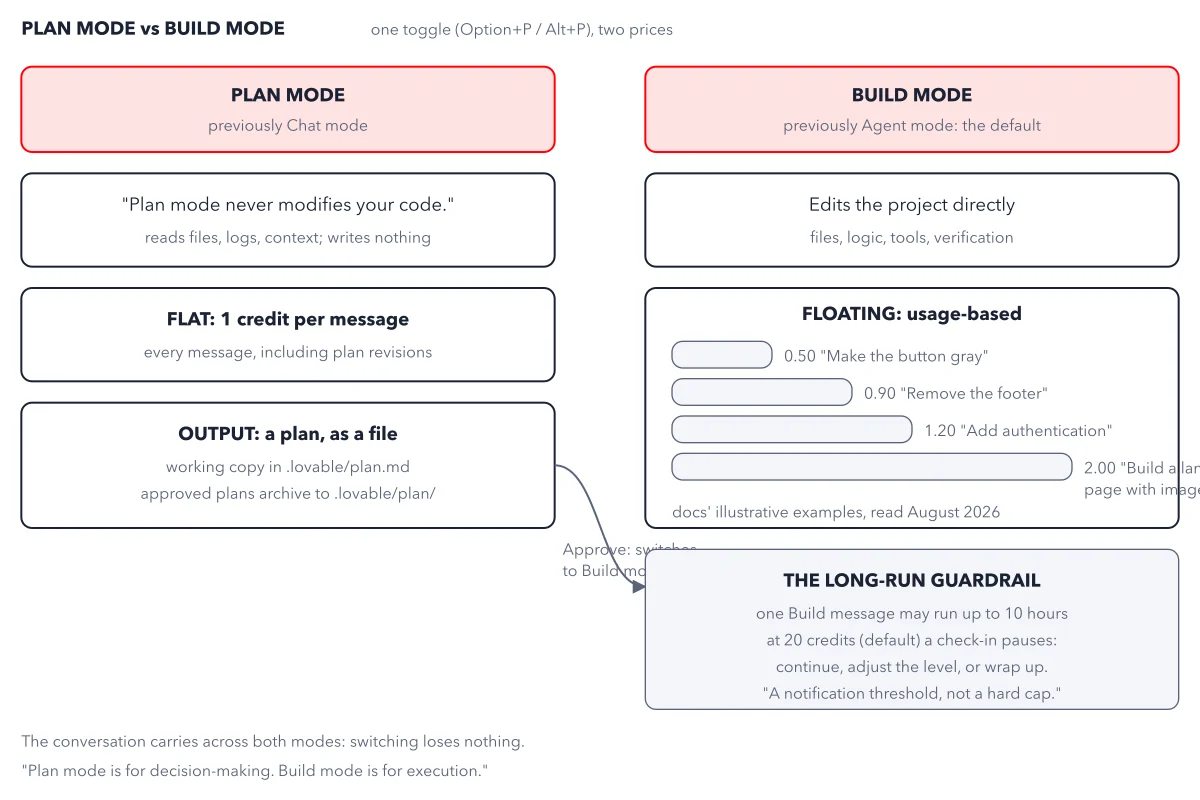
- When a change goes wrong in an odd way, ask in Chat mode which instruction shaped it.
Try this: write your first project instructions
Any plan works, Free included. You need edit rights on the project and about ten minutes.
- Open Project settings, then Instructions. You get one plain text field.
- Write short sections: what the app is, its users, the decisions already made, the rules, and the words you use. Make each rule direct: "Prices are in euros, with the symbol after the number" beats "be careful with prices".
- Cut every line you guessed. A wrong rule is obeyed on every message.
- Save. The change applies from your next message.
- In Chat mode, ask: What is this project for, and what are its rules?
Expected result: The answer describes your app, its users and its rules in your own words, though you never typed them in this conversation. If it misses a rule, the rule is unclear: rewrite it as one short sentence.
Questions readers ask
Do I have to repeat my rules in every Lovable prompt?
No. Write them once as project instructions, and the agent reads them with every message. Restate only the one rule that matters most in a very long conversation, where the agent may skip a line.
How long can Lovable project instructions be?
Project instructions and workspace instructions each hold up to 10,000 characters. Lovable publishes no cost for reading them, so measure it: send two similar small changes, one before and one after you add them, and compare Credits used under More options below each reply.
What is the difference between instructions and a skill?
Instructions are always read. A skill is a named playbook in a workspace that the agent loads only when a task matches its description, or when you type / and its name. Skip skills if you build one app; project instructions are enough.
Sources: Instructions (Lovable docs); Define reusable instructions with skills (Lovable docs); Discuss your app in Chat mode (Lovable docs).
This figure is from Lovable Made Crystal Clear, chapter 4.
The chapter builds the idea step by step, with recipes you can follow, a Try it to check yourself, and every source.
Get the book