The types of AI video tools, sorted by the job they do
By Christophe Paka · Facts checked on 23 October 2026
"Every time I Google it I see a million different platforms", one marketer wrote, each "with different credit systems". Another reader asked where to go after Sora closed. Both wanted a name.
A name is the wrong place to start. A leaderboard is true on the day it is posted, and a tool you pick by its sign can vanish with your credits. The types of AI video tools last much longer than the names inside them. The map below places every kind of tool by the job it does, so you can shortlist two or three before you compare a single price.
How to read this figure
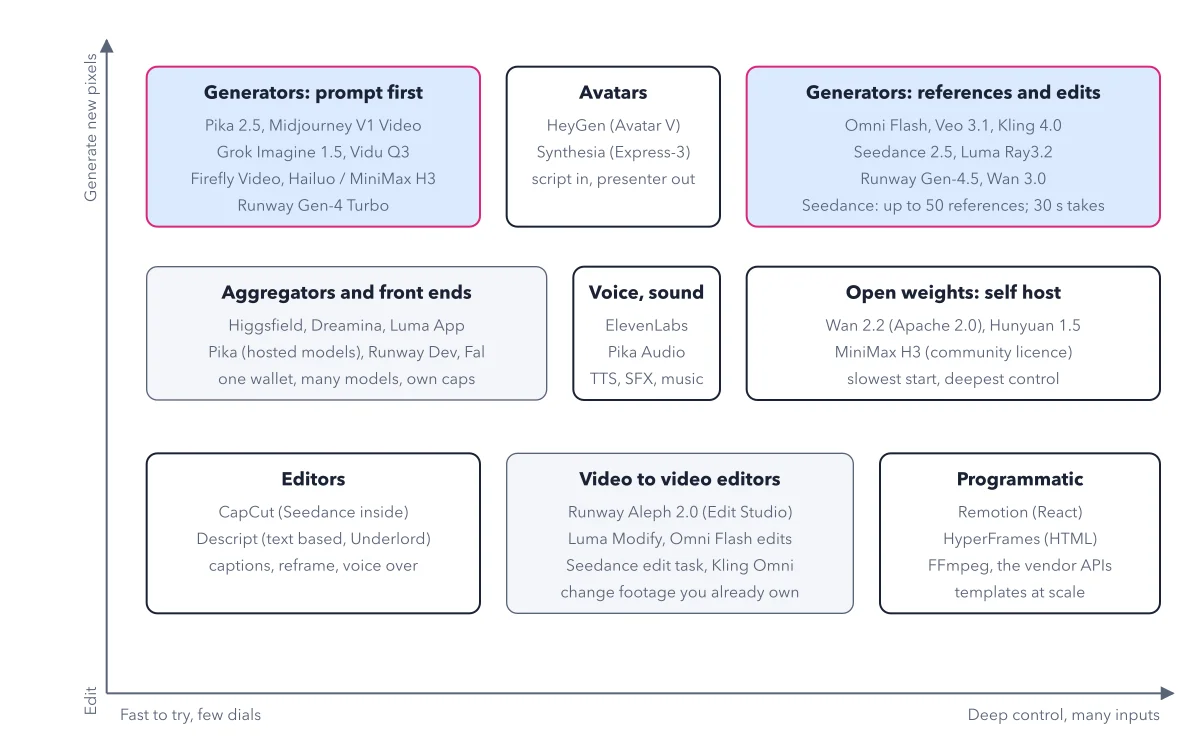
Read the two axes first. Left to right runs from fast to try, with few dials (settings you can change), to deep control, with many inputs. Bottom to top runs from tools that edit footage you already have to tools that make new pixels. Every box sits where its job puts it.
Top row: tools that make new pictures. Prompt first generators sit on the left: quick to try, few settings. Avatars sit in the middle: script in, presenter out. On the right are generators that take references and edits, your own pictures of a face or a product, for deeper control.
Middle row: wallets, voice, and your own computer. An aggregator sells many makers' models through one account and one wallet, but each model there has its own caps: often a shorter length or lower sharpness on cheap modes. Voice tools make speech, effects and music. Open weights are models whose trained files you may download and run on your own computer, under their licence: the slowest start, but the deepest control.
Bottom row: tools that change footage. Editors such as CapCut and Descript cut clips and add captions. Video to video editors change footage you already own. Programmatic tools such as Remotion, HyperFrames and FFmpeg build videos from code, so one template can turn out many videos.
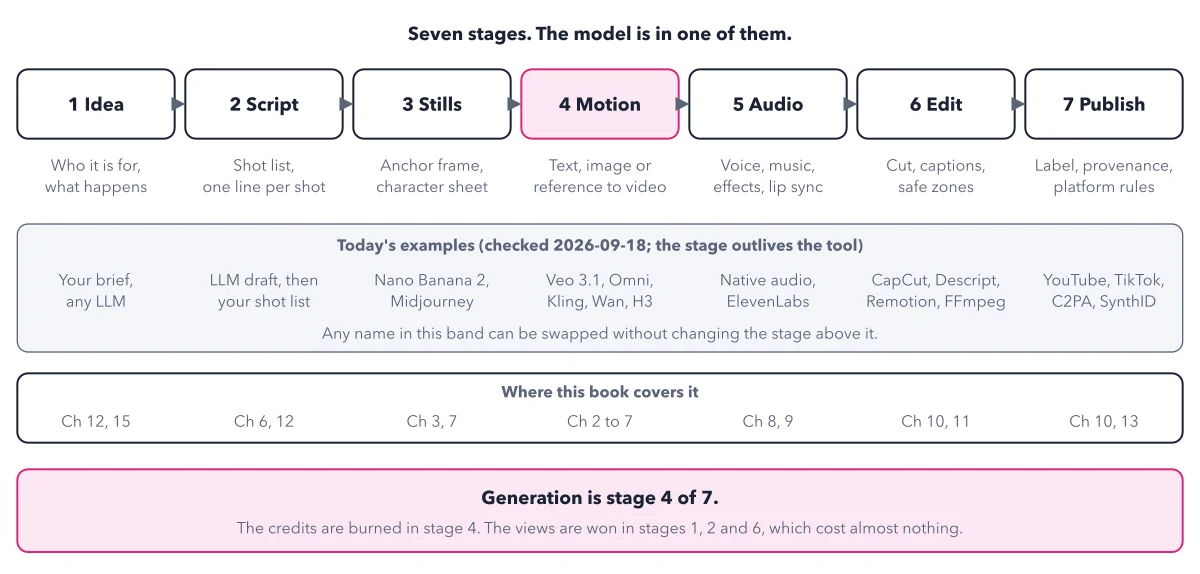
Draw your own path across the map. A finished video usually crosses three groups: a generator makes the shots, a voice tool makes the speech, and an editor puts it together. Pick one tool per group. The seven stage stack shows where each group fits.
Key takeaways
- Write the job in one line, length, sound, what must stay exact and budget, before you open any tool.
- Place each new tool on the map by its job before you compare its price or its demo.
- Count the monthly fee when you compare prices: a price per clip that leaves out the plan is not the price.
Try this: check one tool in ten minutes
Every table of tools goes out of date. This check keeps your own notes current. You need a browser and a notes file, with one row per tool.
- Open the pricing page. Copy the plan name and the credits or price per second for your model, exactly as printed, with units.
- Open the model page. Copy the exact model code and its status word: Preview, Stable, GA or Deprecated.
- Open the deprecations page or changelog. Write one line per change that touches your row, or "none announced".
- Open the terms. Quote the sentence that says if you may sell clips made on your plan, and if there is a visible watermark.
- Date the row and put the next check in your calendar, 30 days after this one.
Expected result: One dated row with a GA model code, a shutdown date or "none announced", a price with its unit, and a quoted rule on commercial use. A rule that is not stated counts as a risk, not a yes.
Questions readers ask
Which AI video tool should a complete beginner start with?
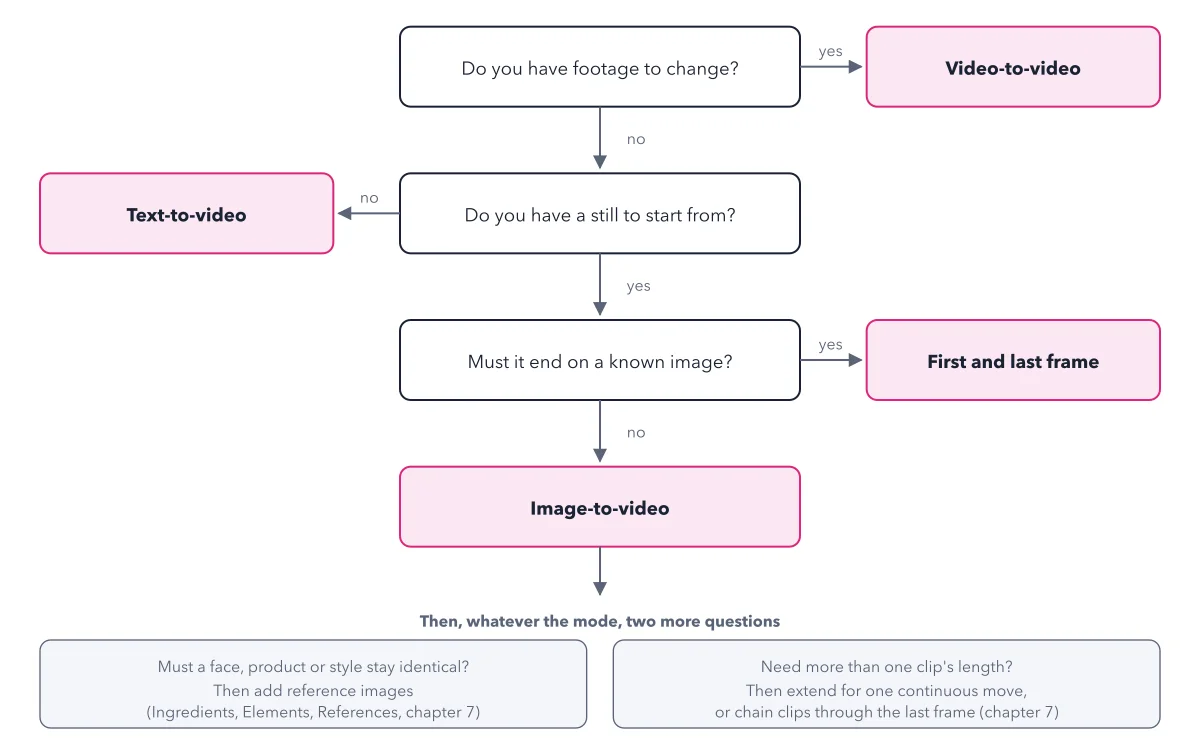
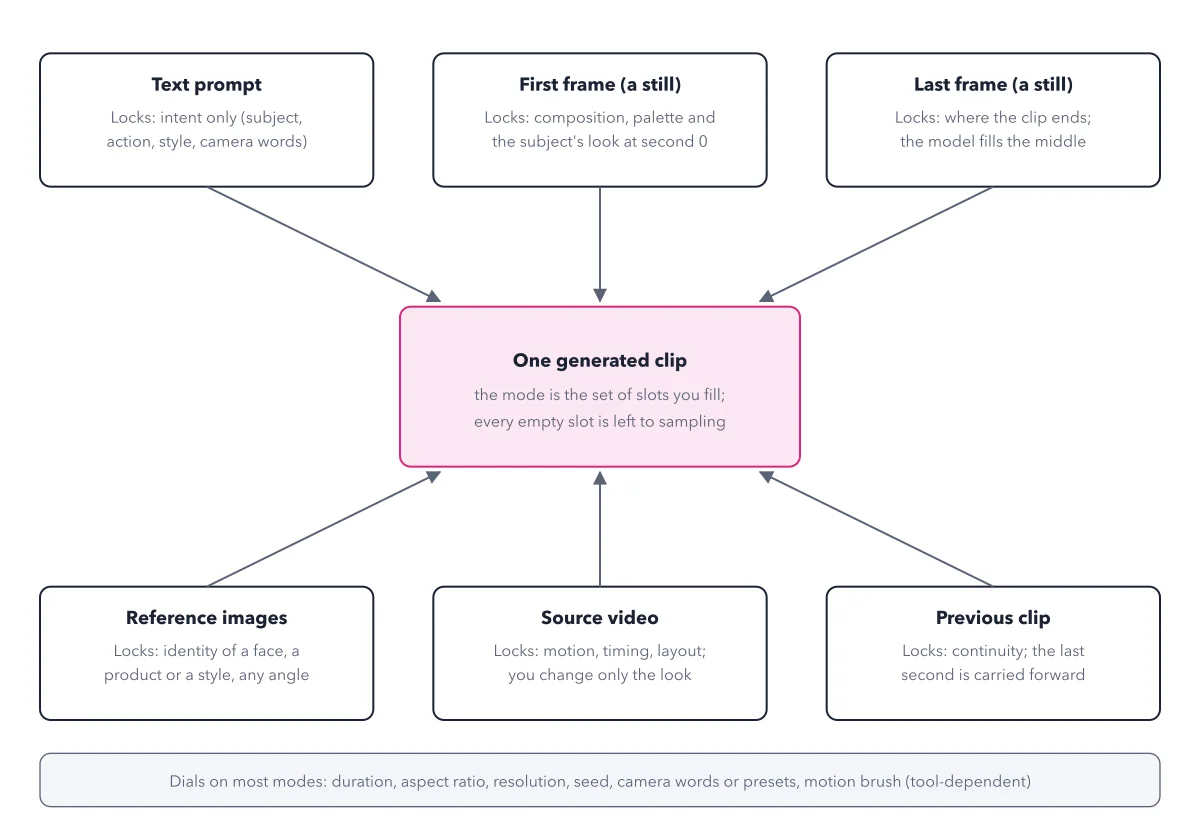
Start from the job, not the brand. Then pick how to buy. Testing several models: an aggregator, because one wallet tries them all. Settled on one model and need its full limits: buy from the maker's own app. Making clips from code or at volume: the API, the maker's developer service that bills a card per clip. The book's first clip uses Google's Flow app, no code needed.
Which AI video generator can still be used for free?
Several have free allowances, but each has a catch: a watermark, no commercial use, or credits that run out. There is no free, unlimited generator without a watermark that you may use for client work. Free allowances are for learning. Clips you deliver to a client are paid for.
Can I run AI video models on my own computer?
Only with a big graphics card. The model must fit in the card's memory. By the makers' own numbers, an 8 GB card fits none of the main open video models. With 24 GB you reach the smaller ones. Below that, rent a card by the hour or use a web app.
Sources: ComfyUI on GitHub; Wan2.2 on GitHub; Higgsfield changelog.
This figure is from AI Video Made Crystal Clear, chapter 3.
The chapter builds the idea step by step, with recipes you can follow, a Try it to check yourself, and every source.
Get the book