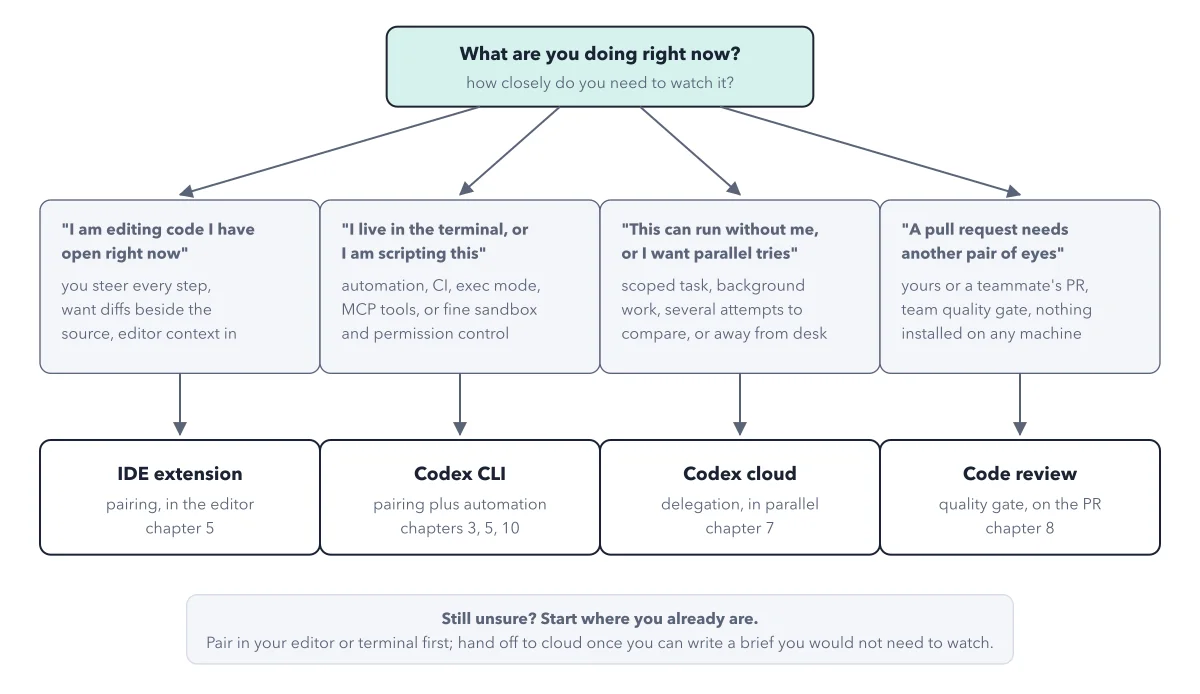
Codex app vs CLI: one agent behind every surface
By Christophe Paka · Facts checked on 23 October 2026
You read a thread that asks why anyone would use the ChatGPT app over the CLI. One reply says most people are not programmers and do not know the terminal. Another asks whether the terminal uses less of your plan than the desktop app.
Pick on rumour and you may learn a tool you do not need, or think each one needs its own plan. The question codex app vs cli gets easier once you see that both reach the same agent. The figure below is the map: one agent core in the middle, four surfaces around it, and two apps that are windows onto it.
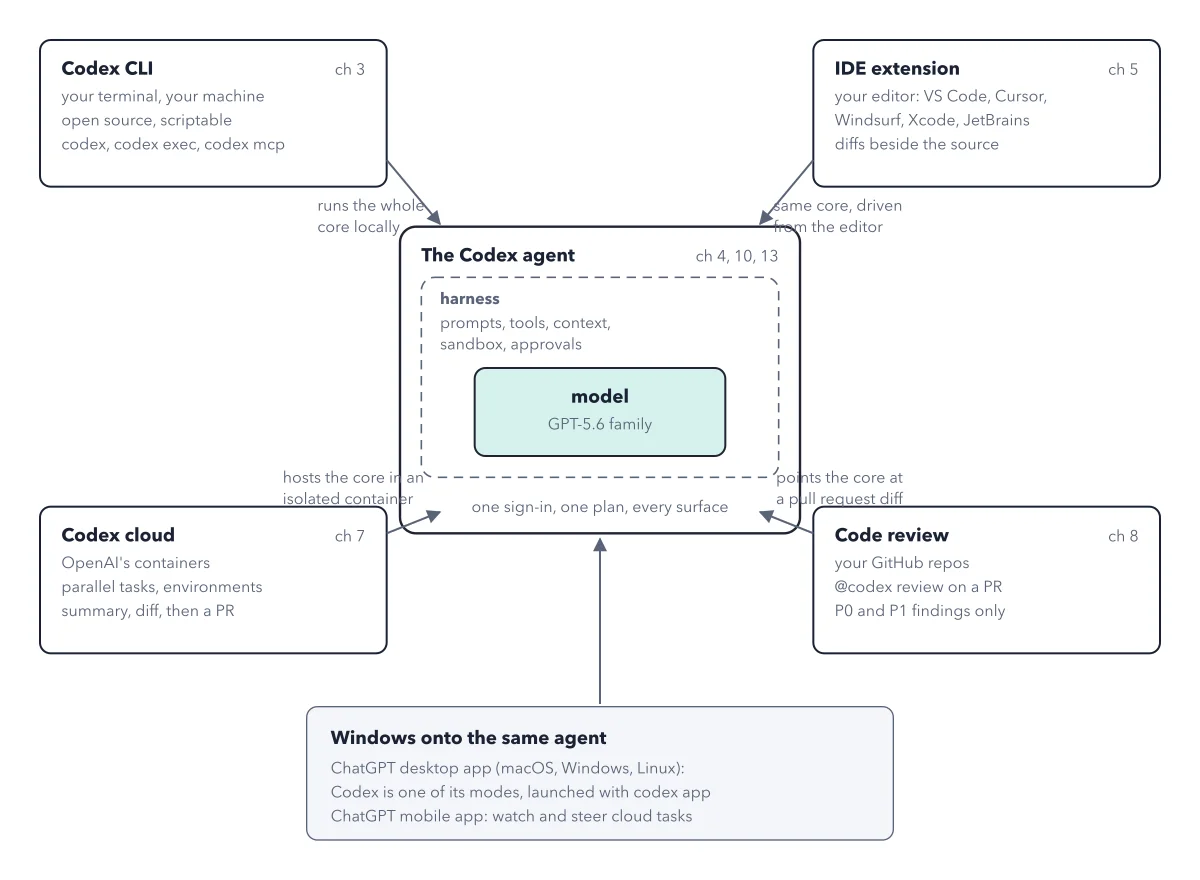
How to read this figure
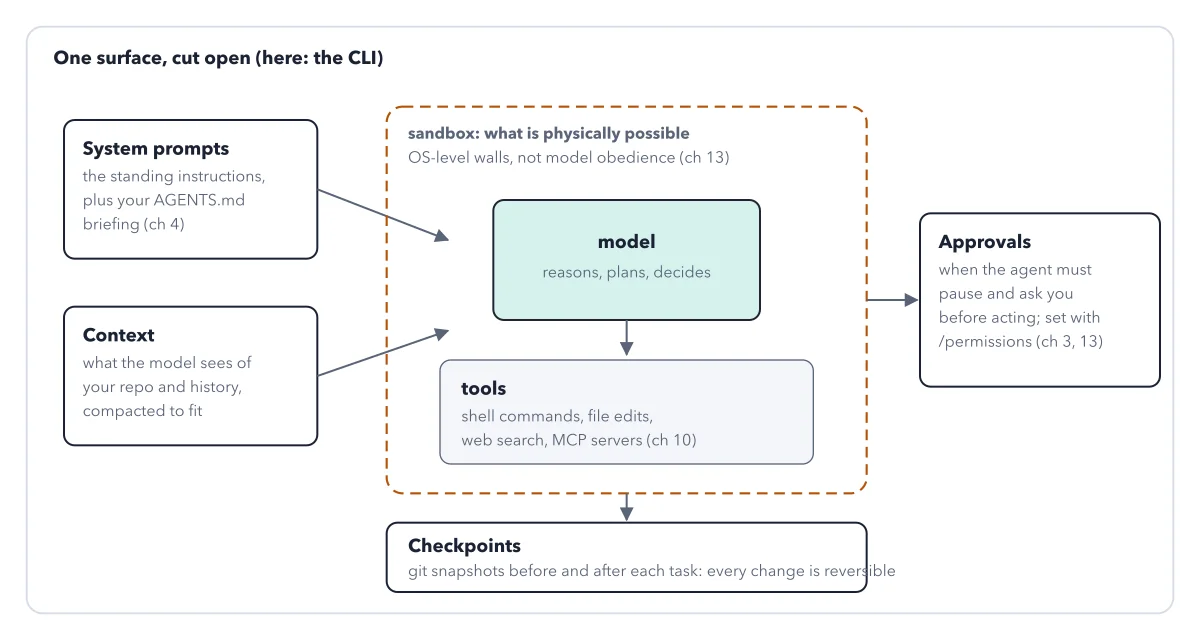
Start in the middle: one agent. The Codex agent is a model wrapped in a harness of prompts, tools, context, sandbox and approvals. The harness is everything Codex wraps around the model; see harness anatomy. One sign in and one plan cover every surface.
Top left: the Codex CLI. The CLI is Codex in your terminal, the text window where you type commands. It runs on your own computer, it is open source, and you can script it. It runs the whole core locally.
Top right: the IDE extension. An IDE is the program developers write code in, such as VS Code. The extension shows each proposed change beside the file it touches. It is the same core, driven from the editor.
Bottom corners: cloud and code review. Codex cloud runs tasks in OpenAI's containers while you do other work, then hands back a summary and a diff. Code review reads a pull request, a proposed change sent for review, and posts only the two serious levels: P0, which must not merge as it is, and P1, which needs a person's decision first.
Bottom box: the two apps. The ChatGPT desktop app runs on macOS, Windows and Linux, and Codex is one of its choices. The mobile app lets you watch and steer cloud tasks. Neither is a fifth agent: each is a window onto the same core.
Key takeaways
- Pick the app if you avoid the terminal; you meet the same agent, not a lighter one.
- Start a task in one place and check it in another, since every surface shares one sign in.
- Look at the work and your settings, not the surface, when your usage drains fast.
Worked example: one date fix, met on every surface
tally is the small invoicing app the book builds, and it has a date bug. Follow the same fix around the map.
- In the IDE extension, you pair on the fix and see each proposed change beside the file it touches.
- In the CLI, the same agent works on the same files from your terminal, and asks before it reaches past the project folder.
- In Codex cloud, you hand off the fix and come back to a summary and a diff, ready to turn into a pull request.
- On the pull request, you comment
@codex review. Each serious problem comes back as a comment on the line it concerns, or you get a clean pass. - On your phone, the ChatGPT mobile app lets you follow and steer the cloud task.
Result: Five places, one agent, one plan. Choose by how closely you want to watch, never by which one looks more serious.
Questions readers ask
Is the Codex CLI more token efficient than the desktop app?
The docs make no such claim. Local messages and cloud chats share your plan's usage, wherever you type. What drains it is the work: the model you pick, how long it thinks, a full context window, a faster speed setting and several agents at once. Type /status to read what is left.
Does my team need a separate plan for each surface?
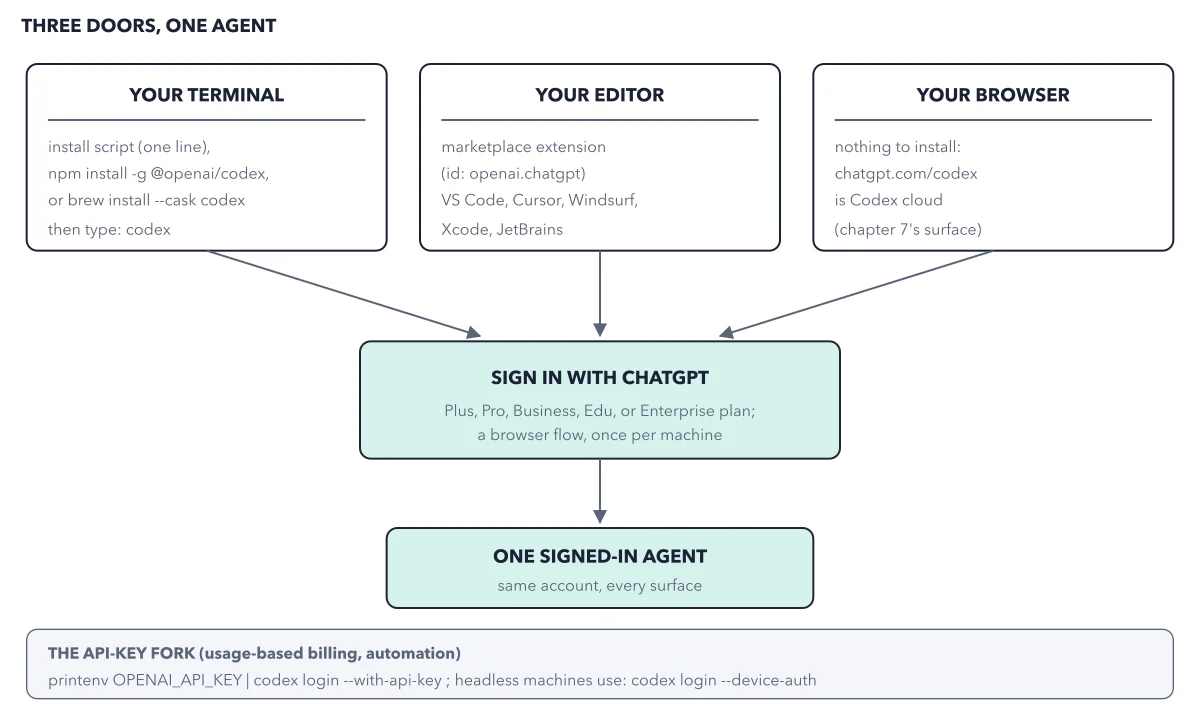
No. One sign in and one plan cover every surface: the terminal, the editor, the app, the cloud and code review. So you budget by plan, not by tool. A person's usage drains the same pool whichever surface they work in.
Is the app a toy and the CLI the real tool?
No. The desktop app is a window onto the same core as the CLI. The CLI suits people who live in a terminal or write scripts. The app needs no terminal at all, so it is the easiest door for people who do not code.
Can Codex run a model on my own computer?
The CLI has one exception to the rule that Codex runs OpenAI's models. A switch called --oss runs a model on your own machine through LM Studio or Ollama, two free programs that run models offline.
Sources: Codex documentation hub (OpenAI); Codex CLI guide (OpenAI); IDE extension guide (OpenAI).
This figure is from OpenAI Codex Made Crystal Clear, chapter 2.
The chapter builds the idea step by step, with recipes you can follow, a Try it to check yourself, and every source.
Get the book