OpenClaw Made Crystal Clear · chapter 3: Security First, Not Last
The lethal trifecta
2026-10-11
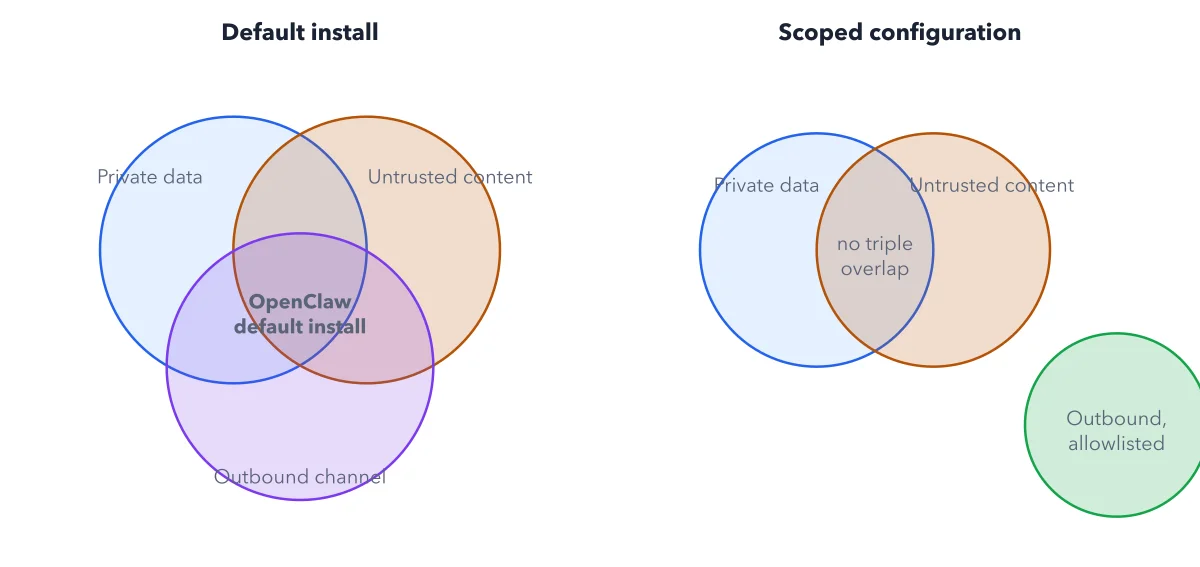
Left, OpenClaw's default install sits in all three circles at once. Right, pulling the outbound channel out to a small, allowlisted destination breaks the overlap that makes prompt injection dangerous.
Below: the paragraph from the book that builds this idea, then the diagram itself (Figure 3.1), and a recap. About a minute of reading.
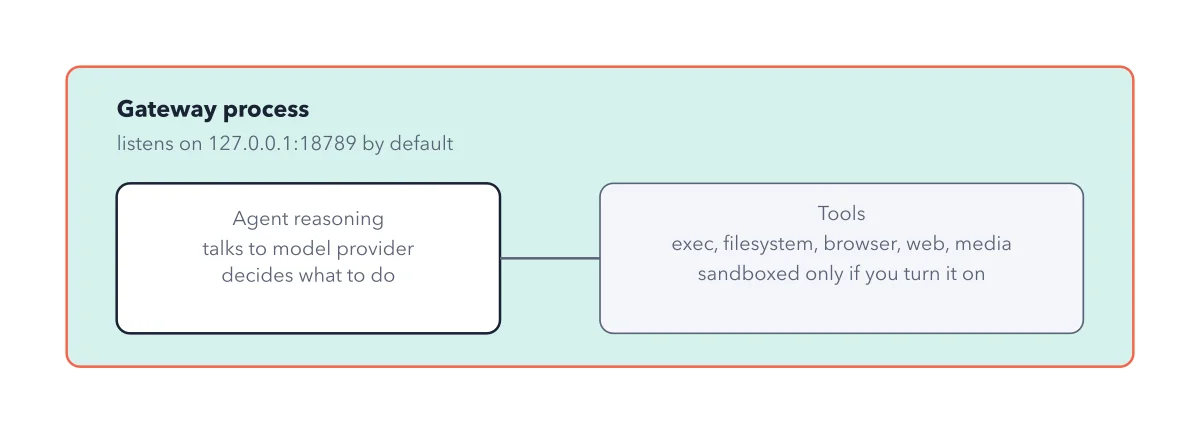
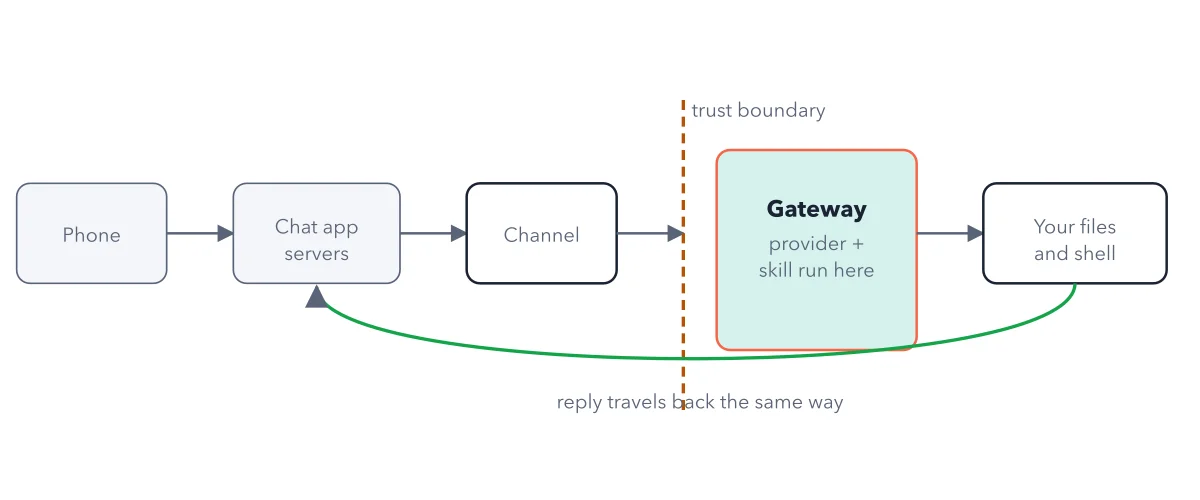
OpenClaw's default configuration checks all three boxes on its own. Out of the box, it grants the agent shell command execution, full filesystem read and write, browser automation, email access, cron scheduling, and outbound webhook calling, all enabled together, unless you deliberately turn pieces off. That is private data (your files, your inbox, your shell), untrusted content (any message, email, or web page it reads), and an outbound channel (email, webhooks, the reply itself), present simultaneously, by default, the day you finish installing it.
Recap
- The idea: Left, OpenClaw's default install sits in all three circles at once.
- The picture: Figure 3.1, from chapter 3 ("Security First, Not Last") of OpenClaw Made Crystal Clear.
- Go deeper: the chapter builds this step by step, with recipes and sources at the end.
This diagram is one of many in OpenClaw Made Crystal Clear.
Every chapter opens with the gist, draws the hard ideas, and ends with recipes and sources.
Get the book