OpenRouter Made Crystal Clear · chapter 3: Your First Request
Anatomy of a request
2026-10-13
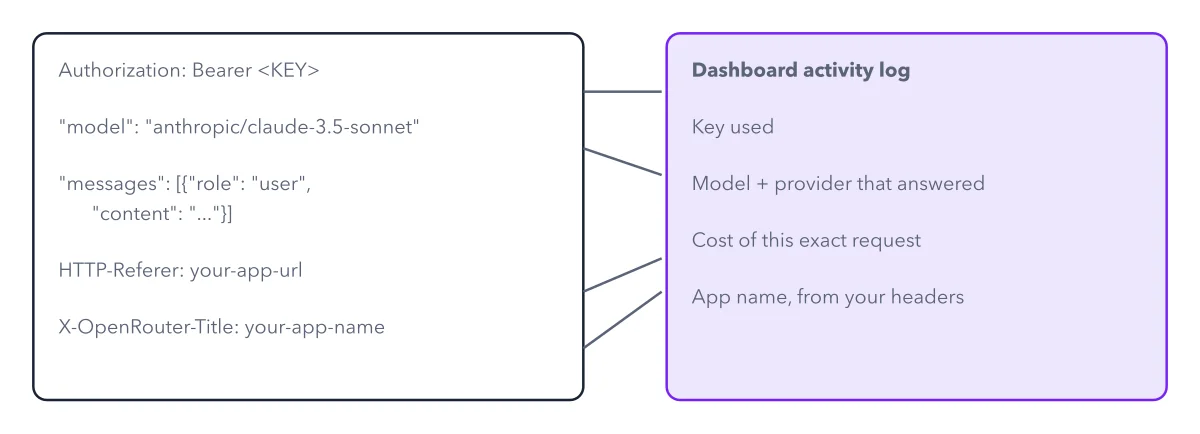
Every field in the call maps to something you can verify afterward in the dashboard.
Below: the paragraphs from the book that build this idea, then the diagram itself (Figure 3.2), and a recap. About a minute of reading.
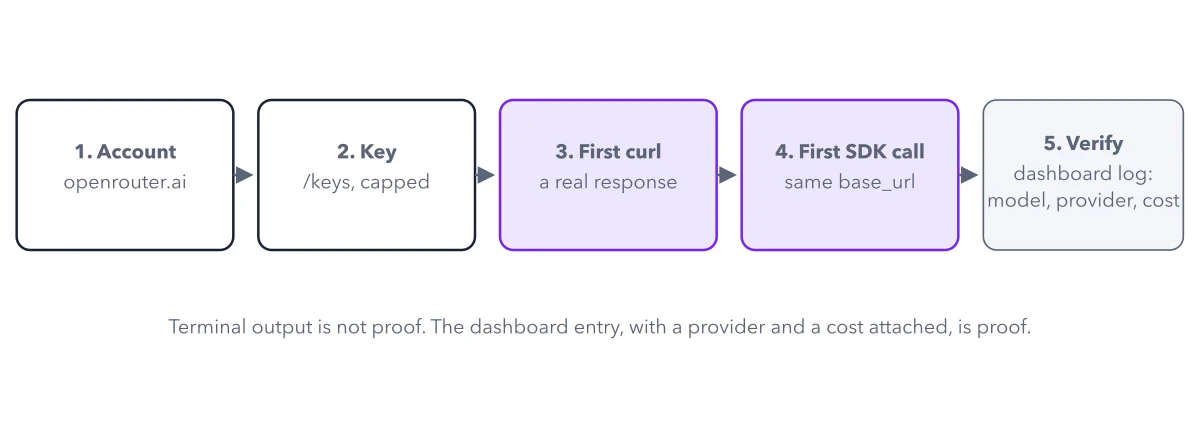
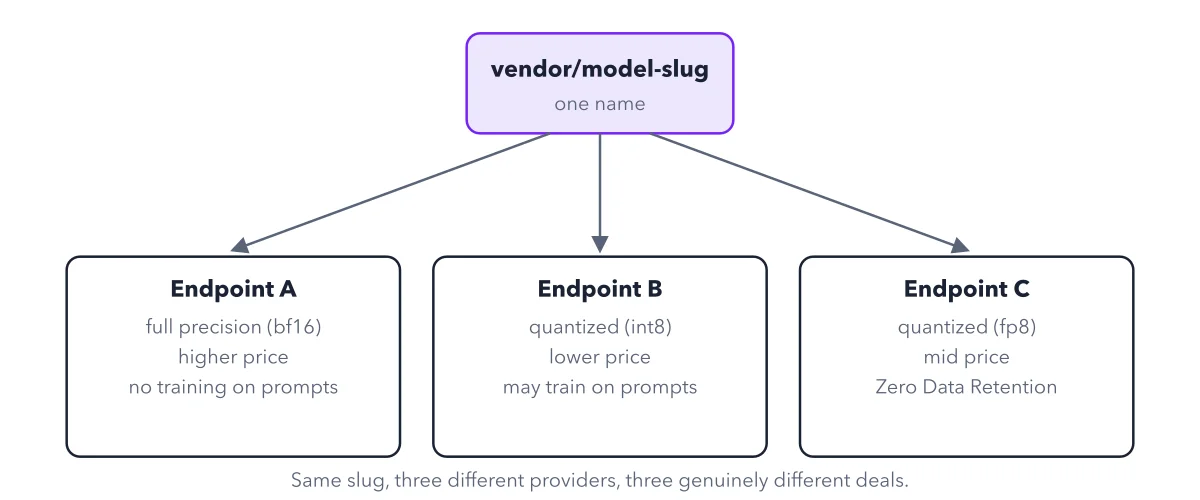
A successful call returns a normal chat-completion response body. The useful second step, the one newcomers skip, is opening the OpenRouter dashboard's activity log and finding that exact request, with its model, its provider, and its cost. This is the fastest way to confirm two things at once: that your call actually went through, and which specific provider endpoint from Chapter 2 answered it, not just which model slug you requested.
Before the recipe, it helps to see every part of a request labeled once: the auth header, the model slug, the message body, and where each one shows up on the dashboard afterward.
Recap
- The idea: Every field in the call maps to something you can verify afterward in the dashboard.
- The picture: Figure 3.2, from chapter 3 ("Your First Request") of OpenRouter Made Crystal Clear.
- Go deeper: the chapter builds this step by step, with recipes and sources at the end.
This diagram is one of many in OpenRouter Made Crystal Clear.
Every chapter opens with the gist, draws the hard ideas, and ends with recipes and sources.
Get the book