OpenRouter API key setup in five steps, with proof
By Christophe Paka · Facts checked on 7 November 2026
One reader found a stranger running top models through their key, on their bill. Their question: "How did they even get it??" With no cap on the key, whoever held it could spend the whole balance.
A careful OpenRouter API key setup takes five steps. Most people stop at the fourth, when text appears in the terminal. The figure shows why the fifth step, the dashboard check, is the one that proves what ran and what it cost.
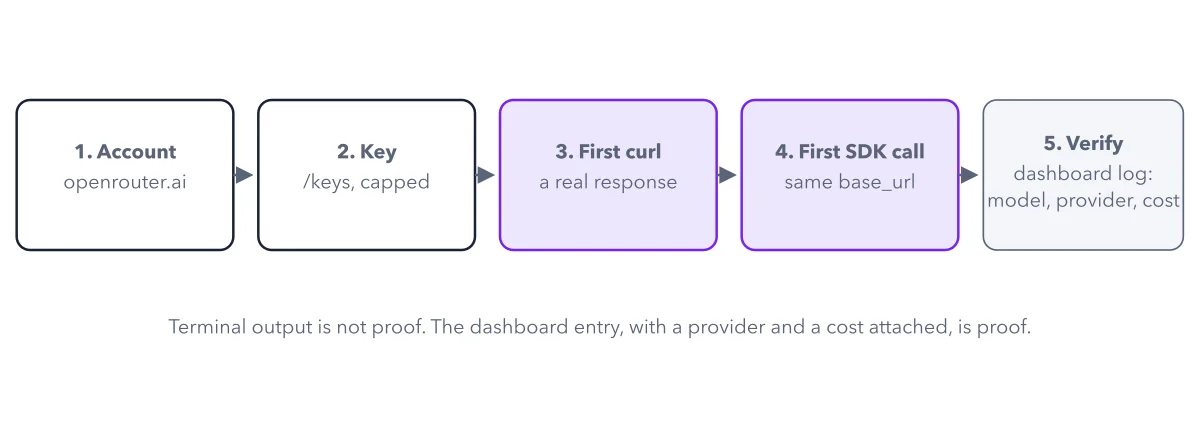
How to read this figure
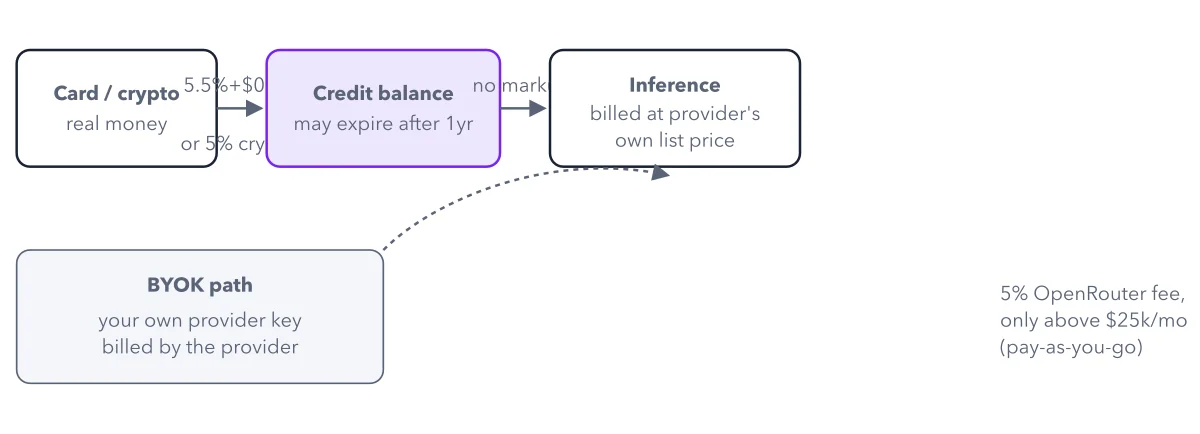
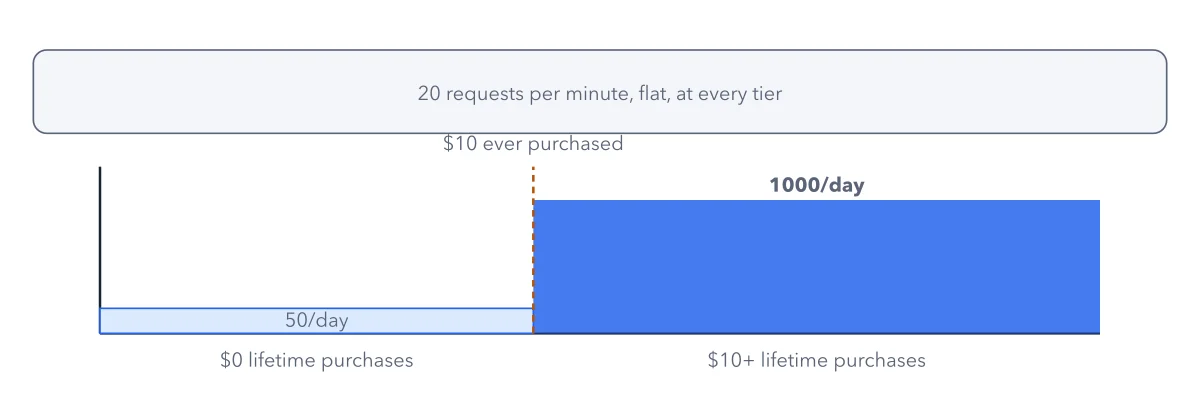
Create the account. Sign up at openrouter.ai with your email address. Free models need no purchase. Paid models draw on credits you buy in advance.
Create a key with a cap. On the Keys page, name the key and set a credit limit: the most this one key may spend. Once it is used up, OpenRouter rejects the key's requests with a 402 error, "payment required". A daily, weekly or monthly limit lets the key work again when the period resets.
Keep the key out of your commands. No terminal, only a chat app? Paste the key into the app, skip boxes 3 and 4, and go to box 5. In a terminal, put the key in an environment variable, a named setting a program gets when it starts:
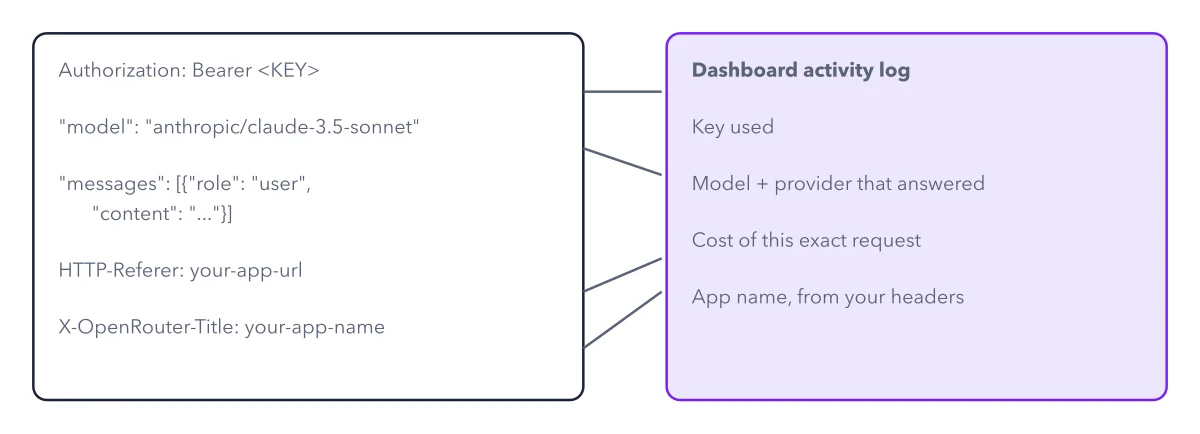
export OPENROUTER_API_KEY="<your key>"on macOS or Linux,$env:OPENROUTER_API_KEY="<your key>"in PowerShell on Windows.Send the first request. curl is a small program that sends a web request from the terminal. One curl command sends a chat request, with your key on its Authorization line. The reply comes back as JSON, plain text laid out in labeled fields. Code you already have for OpenAI works too: change the base URL and the key.
Verify in Activity. Text in your terminal proves that a model answered. It does not show which provider served it or the cost. The Activity page shows the model, provider and cost of each request. See every part of a request.
Key takeaways
- Set a credit limit on every key the moment you create it, and give each app its own key.
- Keep the key in an environment variable, never in a shared file.
- Confirm every first request in Activity: model, provider, cost.
Try this: from zero to a verified first response
You need a browser, an email address and a terminal with curl. No terminal? Send one message from the Chatroom, OpenRouter's web chat, or from a chat app with your key pasted in. Then do the last step.
- Create an account at openrouter.ai.
- On the Keys page, create a key, choose a credit limit, and copy the key.
- Set
OPENROUTER_API_KEYin your terminal (PowerShell on Windows uses$env:). - Send the curl request to the chat completions address, with a slug copied from the models page. On a slug ending in
:free, no credits are needed. - Open the Activity page and find the request you just sent.
Expected result: The terminal shows JSON with an id, the reply in choices, a usage block with token counts and cost, and a model field naming the exact model. Activity shows the same request with its model, provider and cost.
Questions readers ask
Someone used my OpenRouter API key. How do I cap a key?
Open the key on the Keys page and set a credit limit. When the key reaches it, its requests fail with a 402 error until you raise the limit. Give each app its own capped key, so a leak stops one key, not your whole balance.
What limit does a key from onboarding have?
Keys that OpenRouter creates for you during onboarding start with a $100 limit and expire after 180 days. If you clicked through onboarding, lower that key's limit on the Keys page.
I get an authentication error. What is wrong?
Check that the Authorization line reads Bearer, a space, then the key. Also check that you set the environment variable in the same terminal window you send the request from.
Sources: OpenRouter Quickstart (OpenRouter docs); API Reference: Authentication (OpenRouter docs).
This figure is from OpenRouter Made Crystal Clear, chapter 3.
The chapter builds the idea step by step, with recipes you can follow, a Try it to check yourself, and every source.
Get the book