AI agent vs workflow: who draws the arrows
By Christophe Paka · Facts checked on 23 October 2026
A reader on Reddit noticed something odd. About 80% of his runs took the same path, A to B to C to D, every time. So was he running an agent at all? Readers ask it every week: at what point does a workflow become an AI agent?
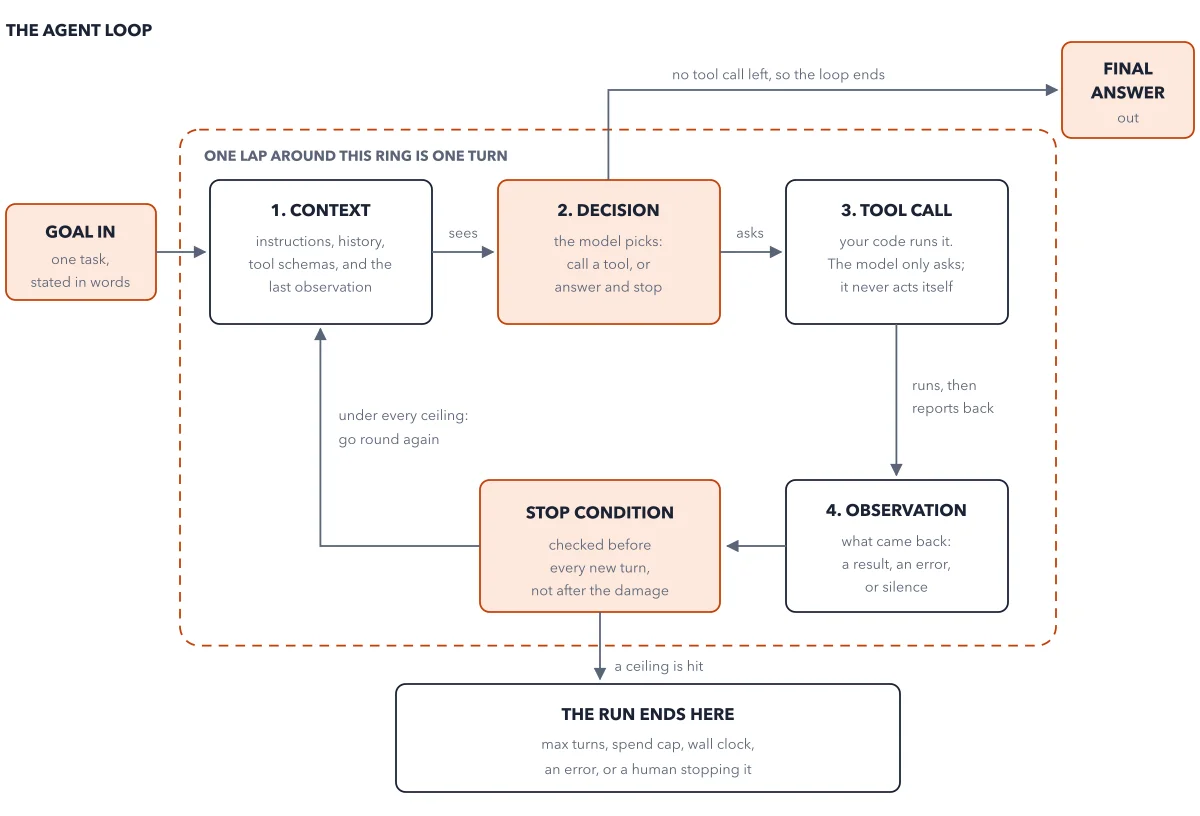
Pick wrong and you pay an agent's bill on jobs a fixed script could do, and nobody can name the step that broke. The AI agent vs workflow question comes down to one test: who wrote the control flow, the order in which the steps run? The figure draws the same job both ways.
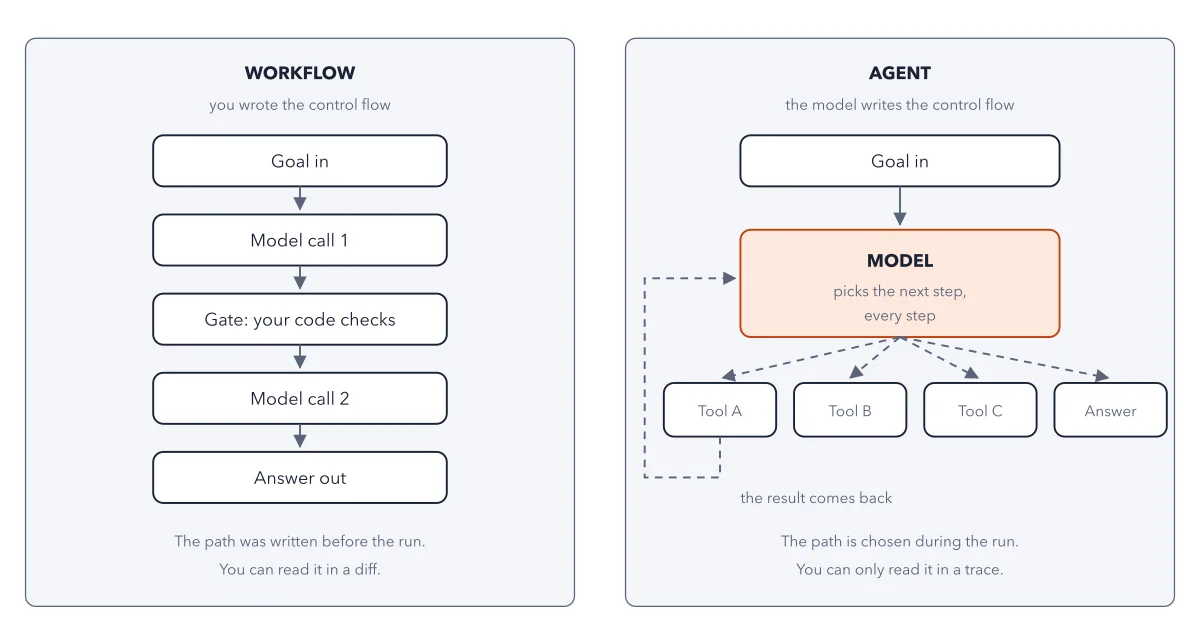
How to read this figure
Read the left panel top to bottom. The workflow runs in one fixed column: goal in, model call 1, a gate, model call 2, answer out. A model call is one request to the AI model. Solid arrows join every box. The subtitle says who drew them: you wrote the control flow.
Find the gate in the middle. The purple box is a gate: your code checks the first result and can stop the chain. The model never chooses which box comes next. Under the column: the path was written before the run, and you can read it in a diff, a view of what changed in the code.
Move to the right panel. The agent starts with the same goal in. Then one orange box, the model, picks the next step, every step. Four dashed arrows leave it: tool A, tool B, tool C, or the answer. Dashed means the model chooses the path during the run.
Follow the dashed line back up. A dashed line runs from tool A back to the model, labeled the result comes back. The model reads that result and picks again. That return line is the loop. The figure draws it from tool A only; the other tools return the same way.
Read the footer under the agent. The path is chosen during the run, and you can only read it in a trace, a record of each step a run took. So you debug a workflow by reading code, and an agent by reading what happened.
Key takeaways
- For any system, ask who wrote the order of the steps, and say the answer in one sentence.
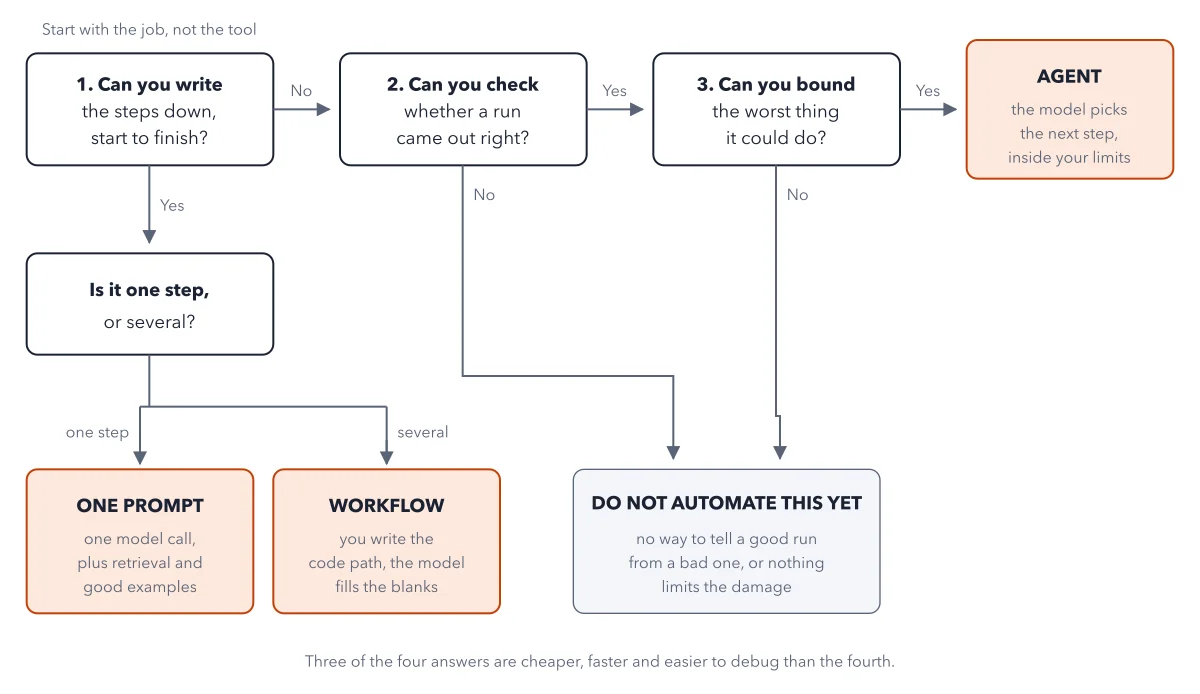
- Build a workflow when you can write the steps down; switch only when the step list breaks.
- Send routine cases down a fixed path and give only the odd ones to one agent step.
Worked example: a refund inbox, built as a mix
Picture a support inbox where 8 of 10 refund emails follow the same steps. The book builds it as a workflow with one agent step.
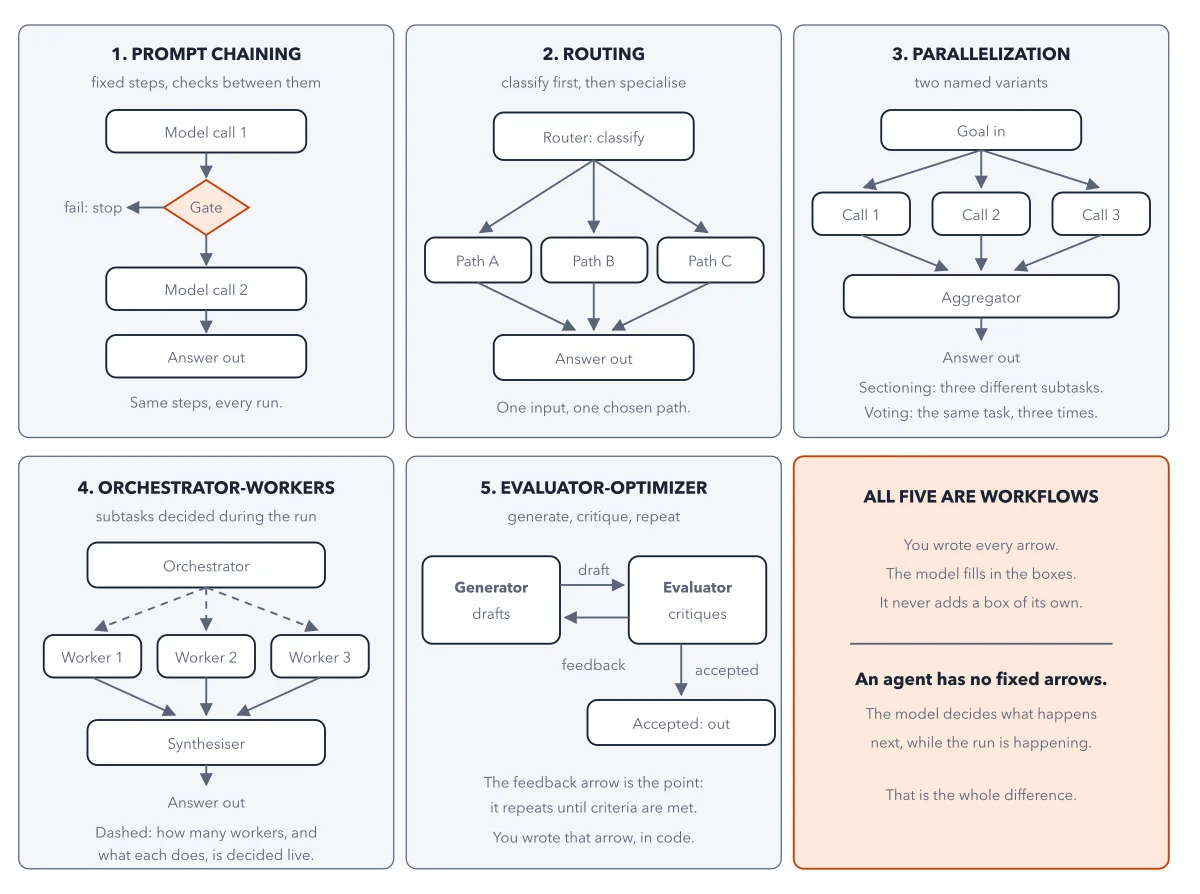
- A first model call sorts each email into routine or not. That is routing, one of five workflow patterns.
- The 8 routine emails go down four fixed steps: find the order, check the policy, issue the refund, send the reply.
- The other 2 go to one agent step that can choose what to look up.
- The common mistake runs the other way: one agent for all 10 emails. It pays an agent's bill on the 8 routine ones. When one goes wrong, nobody on the support team can name the step that broke.
Result: Most of the work runs on a route you wrote. The model picks its own steps only where no route can be written down.
Questions readers ask
At what point does a workflow become an AI agent?
When the model, not your code, picks the next step during the run. Anthropic defines workflows as systems run through predefined code paths, and agents as systems where the model directs its own process and tool use. If you wrote every arrow, it is a workflow, however many model calls sit inside it.
Are AI agents better than deterministic workflows?
Not by default. A deterministic workflow takes the same path for the same input. A reader put it as a GPS with a fixed route against a driver who picks the roads. If you know the route, the workflow is shorter, cheaper and the same every time. The driver earns its place only when no route can be printed in advance.
Sources: Building effective agents (Anthropic); A practical guide to building agents (OpenAI, PDF).
This figure is from AI Agents Made Crystal Clear, chapter 2.
The chapter builds the idea step by step, with recipes you can follow, a Try it to check yourself, and every source.
Get the book