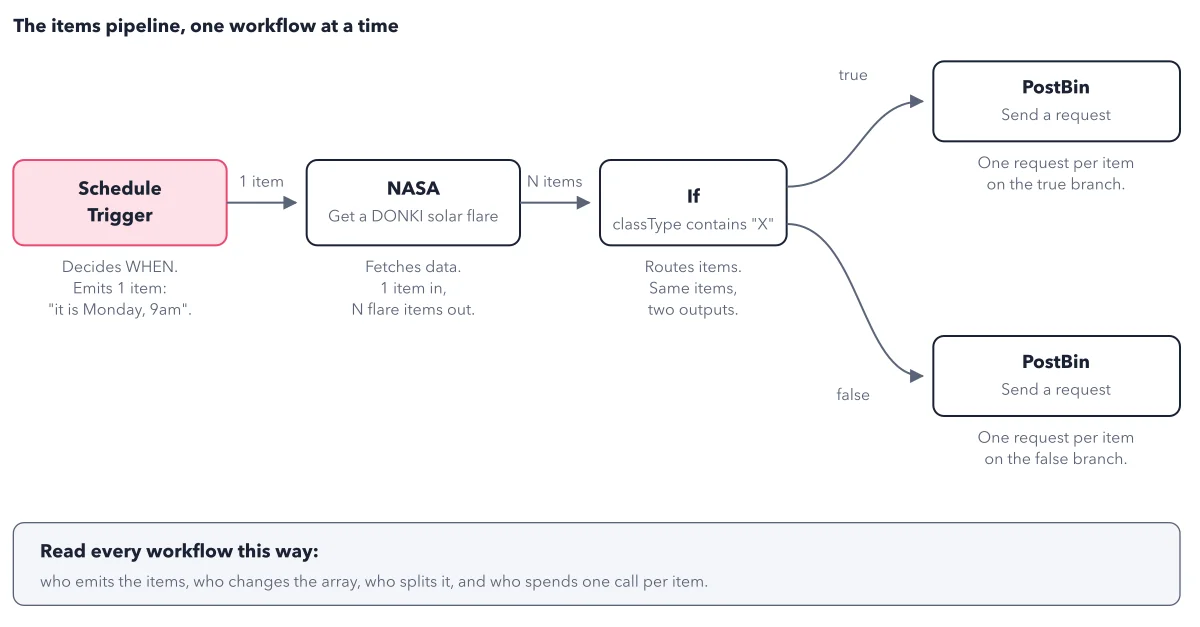
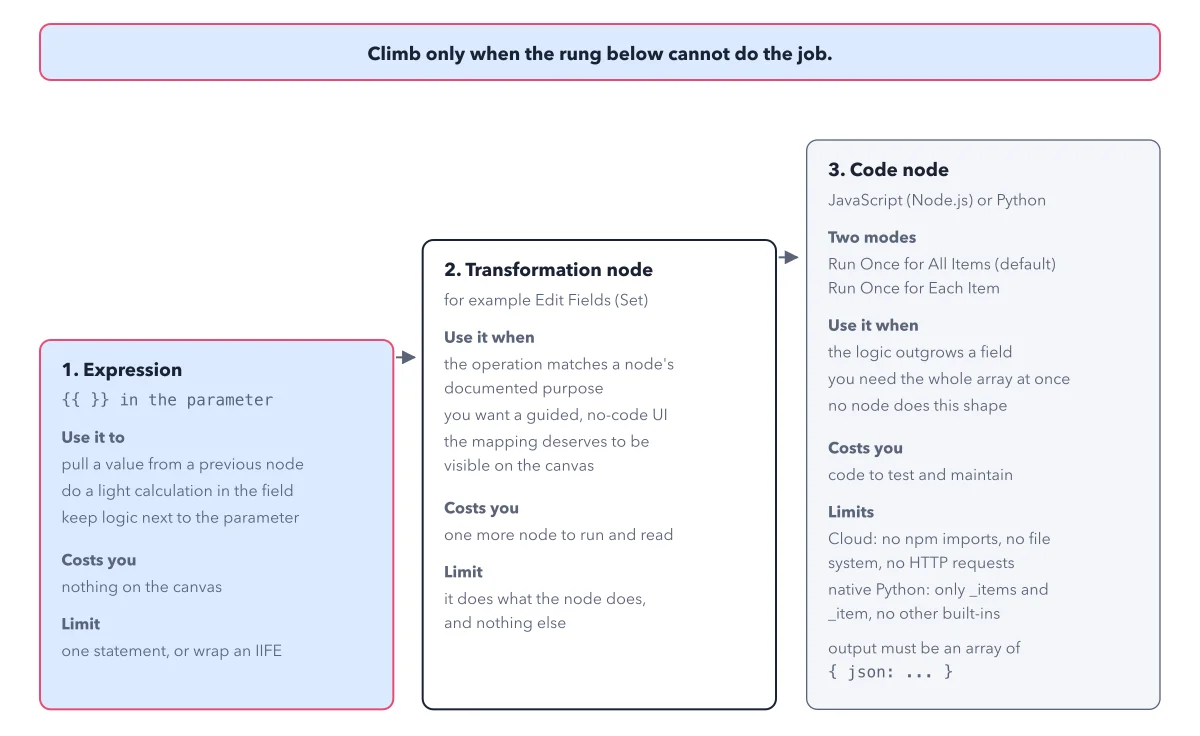
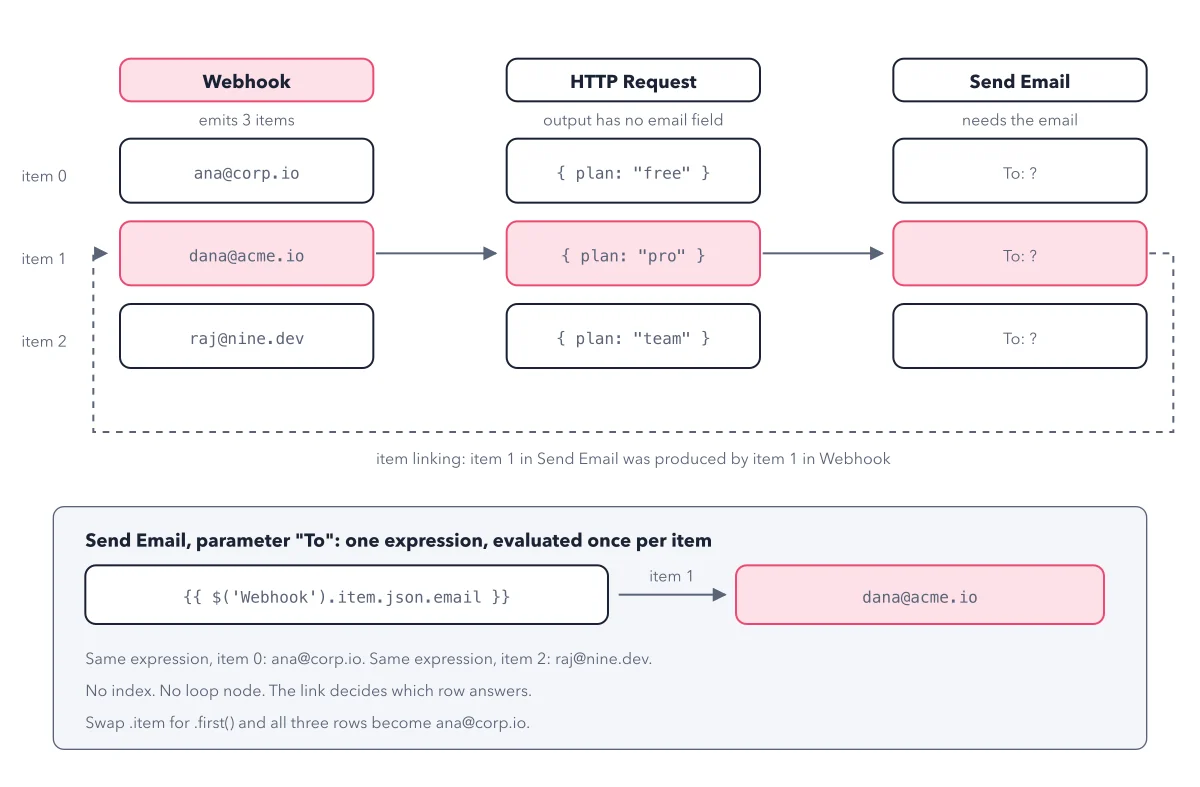
n8n test vs production run: rehearsal and opening night
By Christophe Paka · Facts checked on 23 October 2026
On Friday you fix the If condition, test it, and close the tab. On Monday at 9am the workflow runs, and your change did nothing. Or a run failed overnight and you found out days later, by chance.
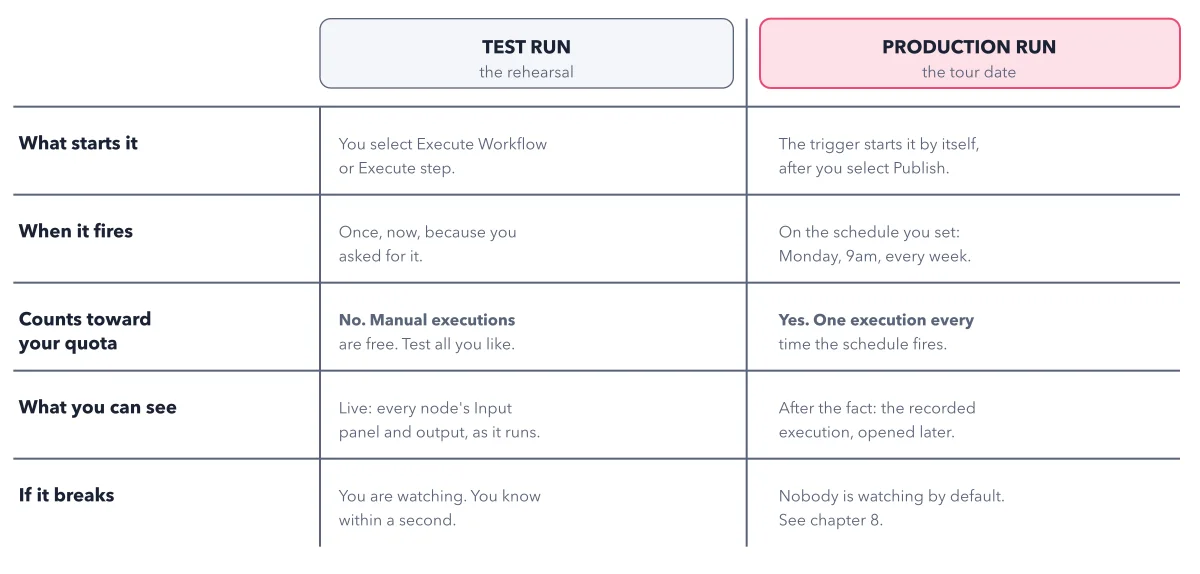
Both come from one line you cannot see on the canvas. An n8n test vs production run differ in what starts them, what counts toward your plan, and who is watching. The figure below sets the two side by side, row by row, so you know which run you are looking at.
How to read this figure
Read the two column heads. The left column is the test run, the rehearsal. The right column is the production run, opening night. Same workflow, two ways to start it. Each row below asks one question of both.
What starts it. You start a test run by selecting Execute workflow or Execute step. A production run starts by itself: the trigger fires it after you select Publish. The n8n docs call these a manual execution and a production execution, so you will meet both names.
When it fires. A test run fires once, now, because you asked for it. A production run fires on the schedule you set, here Monday at 9am every week. You are not there when it happens.
Counts toward your quota. This row is the money line. Manual executions are free, so test all you like. Only production executions count toward the quota: one execution every time the schedule fires.
What you see, and if it breaks. In a test run you watch every node's Input panel and output live, and you know within a second if it breaks. A production run shows up only later, as a recorded execution. Nobody is watching by default, so you build the alarm yourself. The post the error path shows how.
Key takeaways
- Test with Execute workflow as often as you like: manual executions never count toward your plan.
- After every edit to a published workflow, publish again, or the old version keeps running.
- Open the executions list after the first scheduled run, and set up an alert before you rely on it.
Worked example: one weekly workflow over one month
Take a workflow on a Monday 9am weekly schedule and follow it through four moments.
- Building: you select Execute workflow 12 times while you fix the If condition. That is 12 manual executions, and 0 count against your plan.
- Publishing: the schedule fires 4 or 5 times each month. Each fire is one production execution, each counts, and each shows up only in the executions list.
- Changing: on Friday you edit the If condition and close the tab. n8n saves it as a draft, and Monday's run still uses the published version.
- Failing: one Monday the outside service is down and the run fails while you sleep. It turns red in the executions list, and nothing tells you: n8n records every failure but sends no alert until you set one up.
Result: Your bill counts only the scheduled runs. Your edits reach production only when you publish again. And a failure stays silent until you add an error workflow, the alarm in the questions below.
Questions readers ask
If it works in the editor, will it work in production?
Not always. Your test ran on that day's data, from your click. Production runs on its schedule, on the published version, with data you never saw. So check the first production runs in the executions list.
Why did my change do nothing after I saved it?
Edits to a published workflow stay a draft: saved but unpublished. The live workflow keeps the last published version until you select Publish again. Saving never changes what runs.
Do test runs count toward my n8n executions?
No. A manual execution, a run you start yourself in the editor, does not count against a plan. n8n's docs say only production executions count toward the quota.
How do I get told when a production run fails?
Build an error workflow: a second workflow that starts with the Error Trigger node and sends you a message, with a link to the failed run. In the first workflow's Workflow Settings, pick it as the error workflow. One error workflow can serve all your workflows. It only listens to production runs, so a failed test run will not trigger it.
Sources: Save and publish workflows (n8n docs); Understand executions (n8n docs); Types of executions (n8n docs).
This figure is from n8n Made Crystal Clear, chapter 3.
The chapter builds the idea step by step, with recipes you can follow, a Try it to check yourself, and every source.
Get the book