What is Make.com? One map of your apps and the flow between them
By Christophe Paka · Facts checked on 23 October 2026
You copy each new form entry into a spreadsheet. Then you post it in your team's chat. It is the same clicks every day, and none of them needs judgment. So you search for a tool, and an hour later you are reading a forum argument instead of fixing your chore.
Start with the plain answer to what is make.com: a service in your browser that connects your apps and does the same job every time, the way you drew it. You write no code. The map below shows where Make sits, and the questions after it say when an AI chat such as Claude is enough instead.
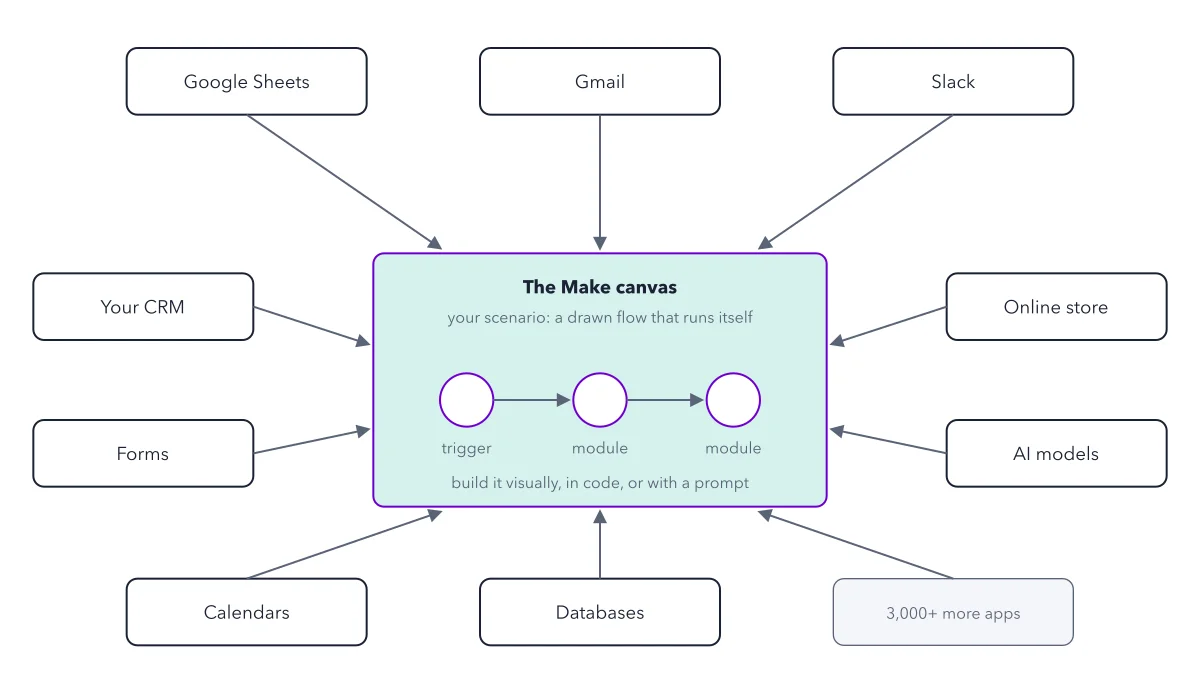
How to read this figure
Start at the middle box. The middle box is the Make canvas: the screen where you build. On it sits your scenario, which is Make's name for one automation. The label calls it a drawn flow that runs itself. You draw it once, turn it on, and Make does the work whether you are at your desk or asleep.
Read the three circles left to right. Each circle is a module: one step that does one thing in one app. The first circle is the trigger, the event that starts each run, such as a new row in Google Sheets. The circles are blank on purpose. In your scenario, the next two could post that row in Slack and send an email from Gmail.
Look at the ring of apps. Around the canvas sit apps you already use: Google Sheets, Gmail, Slack, your CRM (the system that tracks customers and deals), forms, an online store, AI models, calendars and databases. In Make, an app is one connected service. A scenario reads from some apps and writes back to others.
Read the grey box last. The grey box says 3,500+ more apps. That is the number of apps Make says it connects. You find each app by name when you add a module, so search for every tool your chore touches before you build.
Read the line under the circles. The line names three ways to build a scenario. On the canvas means by hand. By prompt means you type a request in plain words to Maia, Make's AI assistant in the editor: she draws the modules and explains each step, but her build still needs testing. From an AI chat means asking Claude or ChatGPT. Start by hand, so you can see and test every step.
Key takeaways
- Say what Make does in one line: it connects your apps and does the same job every time, the way you drew it.
- Write down the event that starts your chore and every app it touches; that event becomes your trigger.
- Search for Make.com, not Make, when you look for help, because other products share the name.
Try this: the napkin test for one chore
Before you open Make, map one chore you do every week on paper. The test takes ten minutes and needs five lines.
- Name the starting event: the one thing that sets the job off, such as a form arrives, a row is added or an order is paid.
- List everything a person does by hand, in order, in plain words.
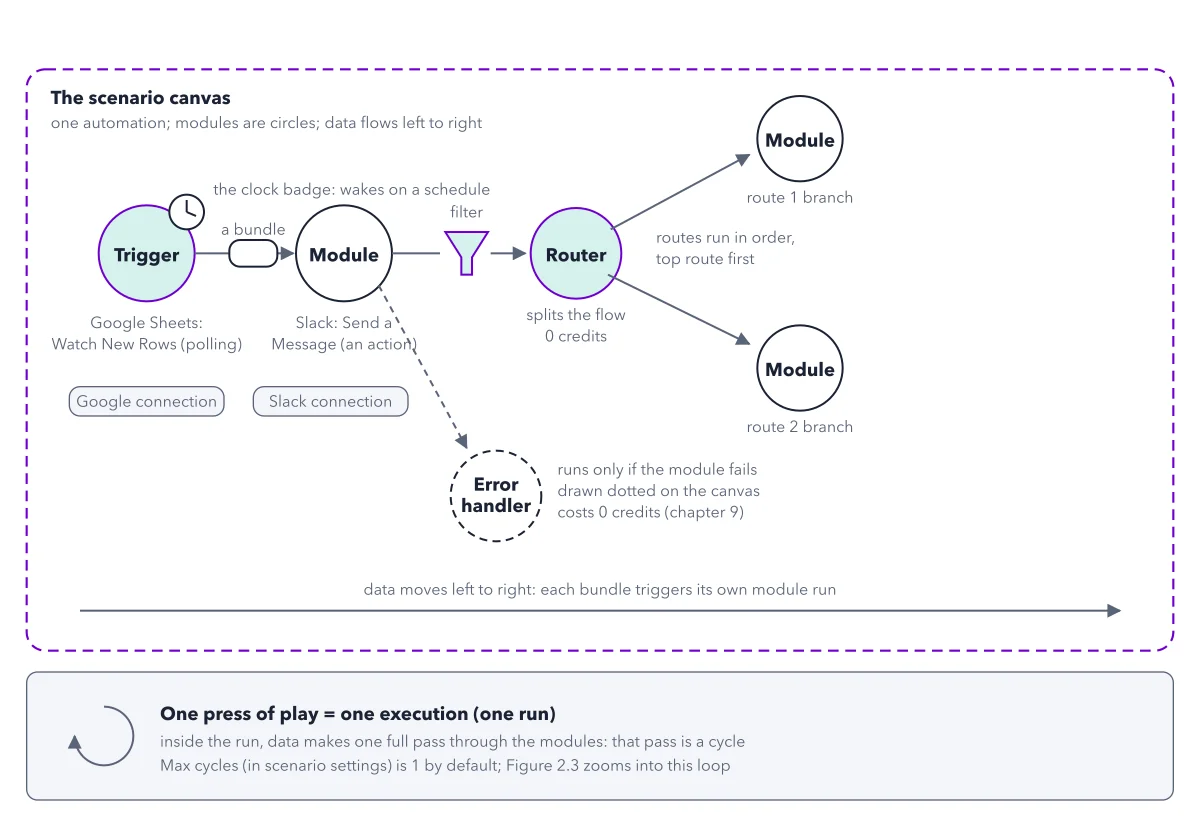
- Mark the decision points: every place the path splits, such as if new customer, do this, otherwise do that.
- Count the apps involved from start to finish, and find each one in the ring of the map.
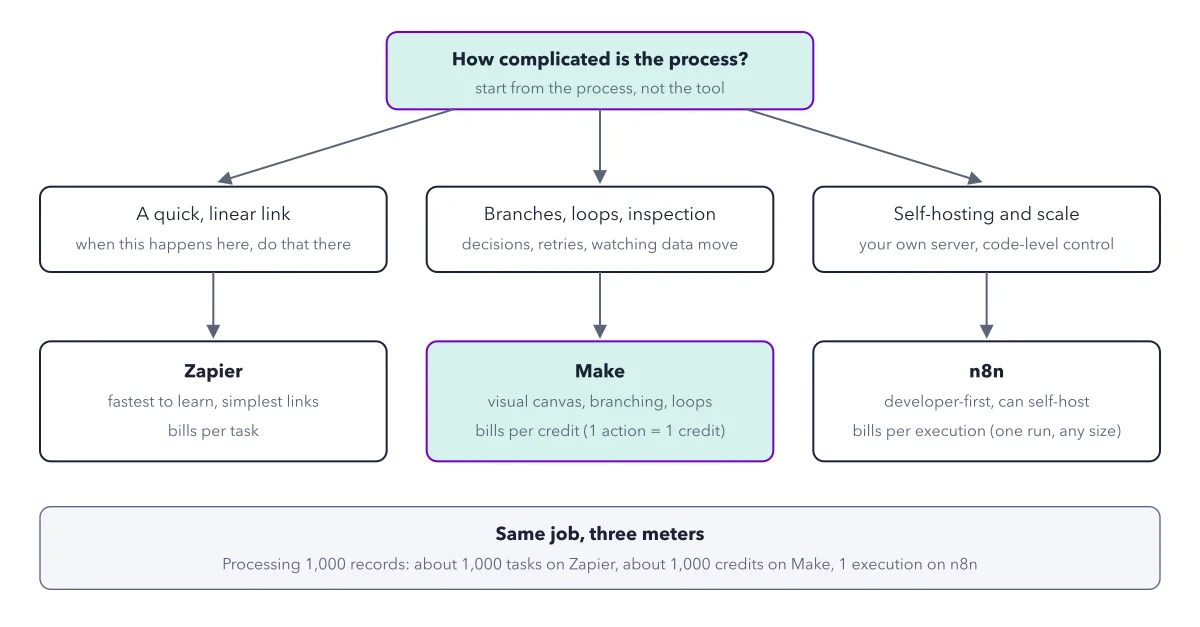
- Only then pick the tool. A decision point, or a list to work through one by one, points at Make.
Expected result: You have five lines on a napkin. The starting event becomes your trigger, and the apps tell you which modules to add. To compare tools, read the one question that picks the tool.
Questions readers ask
Is Make still needed when an AI chat app can do the job?
For one off work, often not: a chat that drafts one email is fine. Make fits a job that must happen on a timetable, the same way every time, and leave a trail you can check next month: Make keeps a list of every run. The two also work together. Make is a built in connector in Claude, a ready made link that lets Claude act in Make, and has an official plugin for ChatGPT. So you can ask either one to start a scenario you built.
Do I need to code to use Make.com?
No. You build a scenario by placing circles on the canvas and joining them with lines. Every recipe in the book works in the browser, with no terminal, the text window where programmers type commands. Make's Free plan costs $0 and includes 1,000 credits a month. You also need accounts for the apps you connect.
Is Make a good tool for freelance automation work?
For a freelancer with no coding background, the book picks Make: client jobs have branches, and Make lets you show the client each move the data makes. Clients pay for a result, not a tool name, such as a lead answered in three minutes instead of the next day. The book prices that result as a project fee plus a monthly retainer. The first client path draws the steps to a first paying client.
Is Make the same as Integromat?
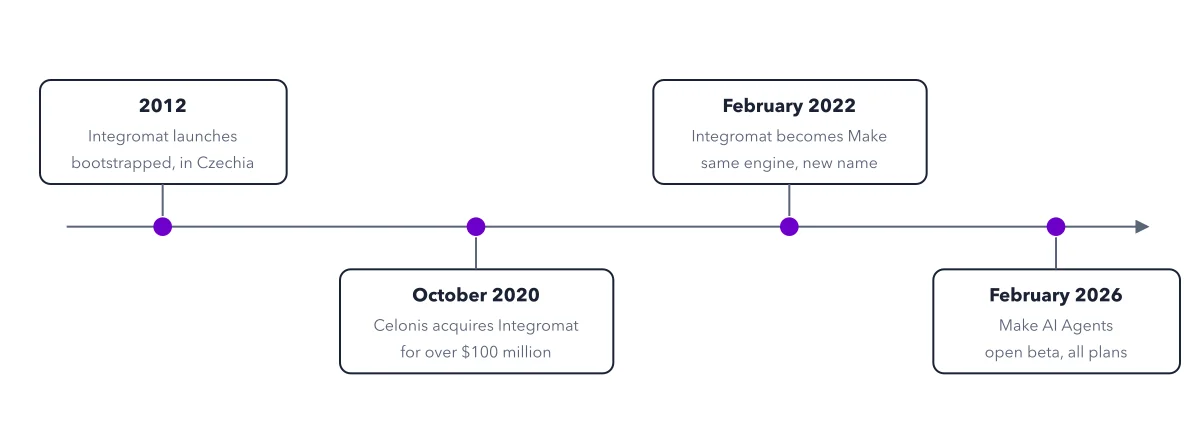
Yes. Integromat was Make's old name, and veterans still use it. The main subreddit is still r/Integromat. When you search for help, try both names: old threads under Integromat often still hold the right answer. The short history puts the milestones on one line.
Sources: Help center: What is Make; Make homepage.
This figure is from Make.com Made Crystal Clear, chapter 1.
The chapter builds the idea step by step, with recipes you can follow, a Try it to check yourself, and every source.
Get the book