

Make.com
Made Crystal Clear
 By Christophe Paka · Updated October 25, 2026
A Visual Beginner's Guide to No-Code Automation, Webhooks, and AI Agents
Prefer it on your Kindle, or on paper? Same book, on Amazon.
Who this book is for
In plain words: Make.com connects your apps so work happens by itself: a form fills a sheet, sends an email, updates your CRM, with no code, by drawing boxes.
- Small business owners and operators tired of copy and paste
- Freelancers selling automations to clients
- No code builders adding AI to their workflows
- Not for: Not for you if you want to self host your automation tool. Try n8n Made Crystal Clear.
Repetitive work is easy to automate with Make.com, and just as easy to overpay for. This visual beginner's guide shows you how to build scenarios that run, and what each run costs. Inside, you will learn to build and test a first scenario module by module, in one sitting; put the right data into every field, with functions that cost no credits; replace polling with webhooks, and call any API with the HTTP module; branch with routers and filters, and catch failures with error handlers; add AI steps and agents, and price them before you build; and predict any scenario's credit cost, and price automation work for clients. Fifteen chapters, 45 diagrams and 18 step by step recipes. Every idea has a diagram, every recipe is numbered with the result you should see, and every chapter ends with a Try it to check yourself. The words stay plain, and the real terms stay in. Whether you are a freelancer, an employee asked to automate a task, a small business owner or switching from another tool, every recipe builds one Lead Desk, a system that tells a sales team about each lead as it arrives.
- Pages
- 212
- Level
- Beginner to advanced
- Updated
- October 25, 2026
12 real pages. Click a page to enlarge it.
Inside the book
- 01The Automation Problem: Make, Zapier, n8n, or an AI Chat App?
- 02How Make Thinks: Scenarios, Modules, Bundles, Credits
- 03Your First Scenario in One Sitting
- 04Mapping and Data Shapes: The Right Value in Every Field
- 05Webhooks and HTTP: From Polling to Instant
- 06Flow Control: Filters, Routers, If-else and Merge
- 07Iterators and Aggregators: Splitting and Merging Data
- 08Data Stores: Memory Between Runs
- 09When Things Break: Debugging and Error Handling
- 10AI in the Flow: AI Steps, Agents, Maia, and Your AI Chat
- 11The Credit Economy: What Make Really Costs
- 12Selling Automation: From First Client to Retainer
- 13Running Make in Production
- 14The 90 Day Path and the One Page Cheat Sheet
- 15Resources: The Short List
You'll leave with
- Read any scenario and predict its credit cost before pressing play
- Build and test your first automation module by module, in an afternoon
- Put the right value in every field, whatever its data shape
About the author
Christophe Paka writes every book on the shelf. He spent years in technical support at Salesforce and Microsoft, where the job was to make complex systems clear to customers who needed them working the same day. He has since built and run software as a founder and lead developer, worked as a Salesforce consultant, and grown a YouTube channel on tech careers past one million views.
This book was last updated on October 25, 2026.
Connect on LinkedIn →For teams
Put Make.com on every desk at your company.
One licence, every book in the series, one link for everyone. From $250 a year.
Sources
Every source cited in Make.com Made Crystal Clear. Each number matches the [n] marker next to that link in the book's "Go deeper" lists, so you can trace any claim back to its origin.
- [1]Make homepage
- [2]Help center: What is Make
- [3]Make pricing
- [4]Digidop: n8n vs Make vs Zapier
- [5]TechCrunch: Celonis acquires Integromat
- [6]Wikipedia: Celonis (owner of Make, the former Integromat)
- [7]How usage is counted (help.make.com/operations)
- [8]Scenario execution, cycles, and phases
Show all 130 sources
- [9]Scenario settings
- [10]Create your first scenario
- [11]Understanding Make.com operations (The Usable AI)
- [12]Step 10: Schedule your scenario
- [13]Schedule a scenario
- [14]Scenario blueprints
- [15]House of Loops: create your first Make scenario
- [16]Webhooks
- [17]Mailhook-triggered AI agent
- [18]Fix rate limit errors
- [19]Make.com pricing: what operations actually cost
- [20]Filtering
- [21]Router
- [22]Controlled Distribution of Data Flow
- [23]Iterator
- [24]Aggregator
- [25]Data stores
- [26]Use functions
- [27]Functions reference
- [28]Text Parser
- [29]Custom functions
- [30]Make Help: Overview of error handling
- [31]Make Help: Error handling
- [32]Alltomate: Make.com error handling
- [33]Consultevo: Make.com error handling guide
- [34]Introduction to Make AI Agent (New)
- [35]Create your first AI agent
- [36]Scenarios for AI agents
- [37]Make AI Agents product page
- [38]AI agent library
- [39]Make Developer Hub
- [40]AI Automation Agency vs Freelancing (Ciela AI)
- [41]Organizations (Make help center)
- [42]Make Community
- [43]Administering your organization
- [44]Make API authentication
- [45]Make API rate limits
- [46]Custom apps overview
- [47]Make Academy
- [48]Make Help: Changelog 2026
- [49]Make Help: Coming soon, credits as new billing unit in Make (effective 27 August 2025)
- [50]Make Help: Credits
- [51]Make Help: Overview of error handling (case sensitive URL)
- [52]Make Help: Error handlers
- [53]Make Community: Error handlers update (Break to Retry, Ignore to Skip)
- [54]Make Help: Incomplete executions
- [55]Make Help: Cycles removal on October 1, 2026
- [56]Make Help: Improved scenario toolbar and version control
- [57]Make Help: Unified canvas navigation
- [58]Make Help: Trash for deleting scenarios, module renaming, AI error explanations
- [59]Make Help: Introducing scenario recovery
- [60]Make Help: Organize scenarios with subfolders and labels
- [61]Make Help: Global search for scenarios and runs
- [62]Make Help: New feature, If-else and Merge
- [63]Make Help: Nested If-else and Merge
- [64]Make Help: New Make Functions app
- [65]Make Help: The Make Code app is available
- [66]Make Help: Unified Help search and deprecation of filters
- [67]Make Help: Data store app (15 MB record limit) (search)
- [68]Make Help: Make AI Agent (New) app
- [69]Make Help: Credit usage for AI agents
- [70]Make Help: Updated Make AI Provider token pricing model
- [71]Make Help: Sub-agents and tool output filtering
- [72]Make Help: MCP tools in Make AI Agents (New)
- [73]Make Help: AI agent improvements, new AI models, SSO login routing, MCP tools for audit logs
- [74]Make Help: OpenAI module removed (Message an Assistant)
- [75]Make Help: OpenAI Sora and video modules deprecation
- [76]Make Help: Meet Maia, your AI and automation co-worker
- [77]Make Help: Maia by Make pricing
- [78]Make Developers: MCP server
- [79]Make Help: MCP toolboxes
- [80]Make Help: Introducing Make Skills
- [81]Make Help: Make is now a built-in connector on Anthropic Claude
- [82]Make Help: Official Make plugin for ChatGPT
- [83]Make Help: The Make CLI is now live
- [84]Make Help: Custom roles for precise access control
- [85]Make Help: Introducing private spaces
- [86]Make Help: Introducing credential requests
- [87]Make Help: Introducing event subscriptions
- [88]Make Help: Make Grid
- [89]Make Help: Content search in Make Grid
- [90]Make homepage (English)
- [91]Make blog: Announcing the next generation of Make AI Agents
- [92]Make blog: Waves '26, the glass box for the agentic era
- [93]Make Community: Waves '26 recap
- [94]Make: Integromat evolves to Make (search)
- [95]Make Academy: Automation to AI Agents, Foundation
- [96]Make Academy: Automation to AI Agents, Advanced
- [97]Zapier pricing
- [98]n8n pricing
- [99]IsDown: Make outage history (third party) (search)
- [100]Make Help: Connect to Google services using a custom OAuth client
- [101]Make Apps: Google Sheets (connection steps)
- [102]Make Apps: Slack (connection types Slack (user), Slack (bot))
- [103]Make Help: Step 5. Set up the trigger
- [104]Make Help: Step 9. Test your scenario
- [105]Make Help: General functions
- [106]Make Help: Text and binary functions
- [107]Make Help: Date and time functions
- [108]Make Help: Tokens for date and time formatting
- [109]Make Help: Array functions
- [110]Make Apps: Webhooks
- [111]Make Apps: HTTP
- [112]Make Help: If-else and Merge
- [113]Make Academy: Text aggregators in action
- [114]Make Help: Retry error handler
- [115]Make Help: Skip error handler
- [116]Make Help: Throw
- [117]Make Help: Data stores (article)
- [118]Make AI Toolkit (Make apps documentation)
- [119]Make Help: Introducing Module Migrator
- [120]Make Help: Two-factor authentication enforcement
- [121]Make: Security
- [122]Make Status
- [123]Make Help: Private spaces
- [124]Make Apps directory
- [125]Make API: Making your first API request
- [126]Make Help: Learn the basics
- [127]Make Apps: Email
- [128]Make: Partners
- [129]Make Help: Teams
- [130]Make API: Create an authentication token
Also in the series
37 more titles, one tool or topic each. Swipe or use the arrows.
AI Go To Market
Available
Higgsfield
Available
Kubernetes
Available
Cloudflare
Available
Jev
Available
Supabase
Available
AI Video
Available
Zernio
Available
Codex
Available
Hugging Face
Available
Modal
Available
Lovable
Available
Vapi
Available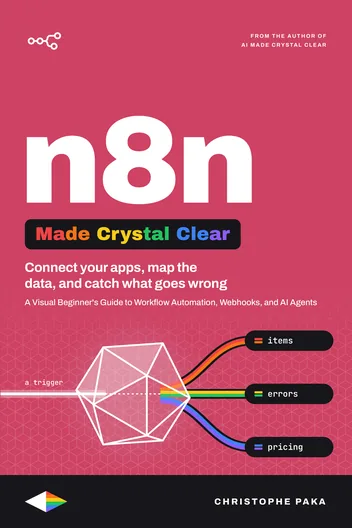
n8n
Available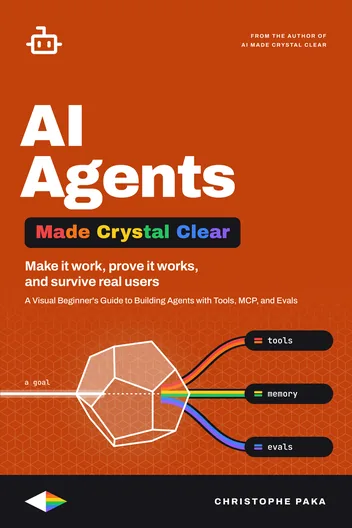
AI Agents
Available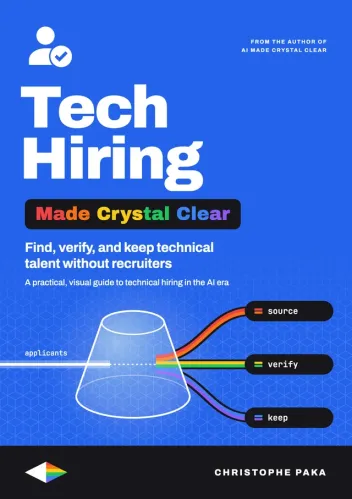
Tech Hiring
Available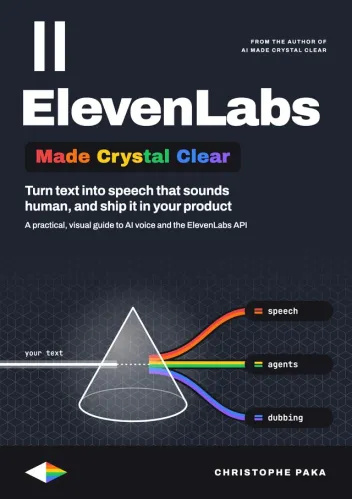
ElevenLabs
Available
AI
Available
Claude Code
Available
Git
Available
Kimi Code
Available
Hermes Agent
Available
GitHub
Available
Docker
Available
Qwen
Available
Llama
Available
DeepSeek
Available
OpenRouter
Available
GLM
Available
Gemini
Available
Mistral
Available
OpenClaw
Available
Grok Bot
Available
Vercel
Available
Fly.io
Available
Cursor
Available
The +1 Method
AvailableNew books, in your inbox
One short note when a new Made Crystal Clear guide ships.
No spam, unsubscribe anytime.