When does the Supabase service role bypass RLS? The access chain
By Christophe Paka · Facts checked on 23 October 2026
Readers keep hitting the same wall. The query "worked in the SQL editor". Then the app shows permission denied for table todos, or worse, an empty list with no error. One reader asked: if I only query from my server, do I need RLS, and which Postgres role runs my query?
So when does the Supabase service role bypass RLS? RLS, Row Level Security, is the set of per row rules a table can carry. The short answer: the secret key skips those row rules, but never the grants. Guess wrong and you switch RLS off to test, and the table is open to anyone with your key.
Every request passes the same four checks, always in the same order. The figure below draws them as two lanes: one for a browser, one for your server.
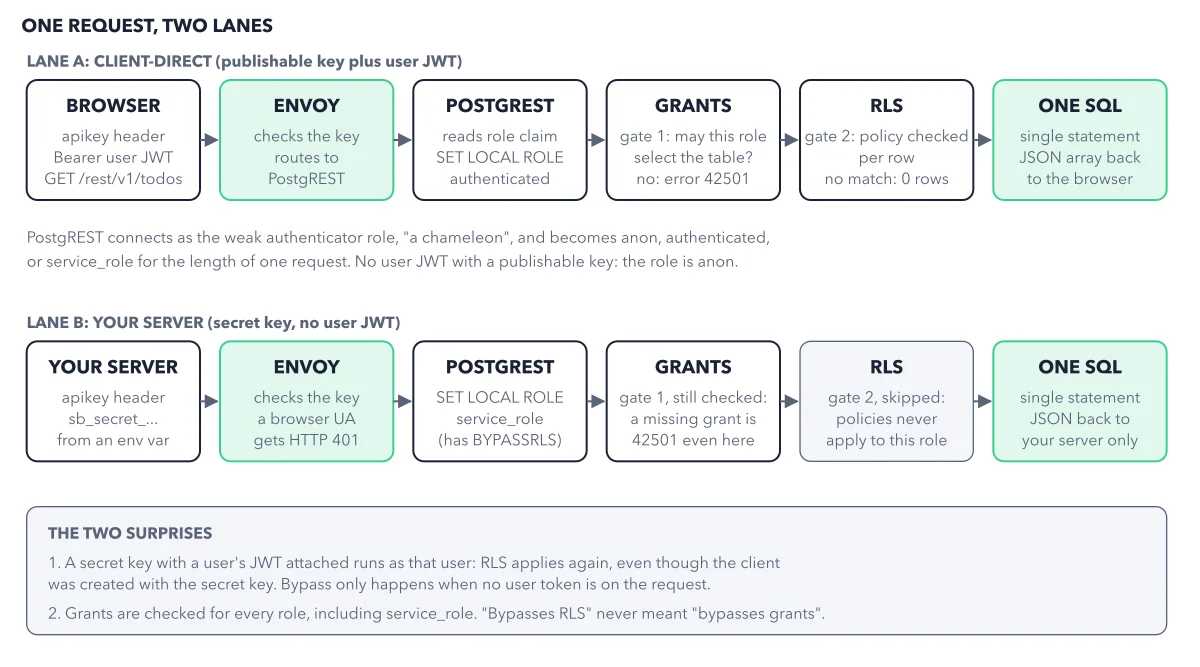
How to read this figure
Start at the browser in lane A. The browser sends the publishable key, plus the user's JWT, a signed pass that says who the user is. It asks for
/rest/v1/todos. Envoy, the front door, checks the key and routes the request to PostgREST, the Data API.Watch PostgREST pick the role. A role is the database identity a request runs as. PostgREST logs in to Postgres with a weak login of its own. The figure calls it "a chameleon" because it changes color for each request: it takes the role the JWT names, here authenticated. With no user JWT, it takes anon. That role decides what the request may touch.
Pass gate 1, the grants. A grant is a permission that lets a role select, insert, update or delete on a table at all. If the role has no grant, Postgres stops here with error 42501, permission denied. This error is loud on purpose. The fix is one statement, such as
grant select on public.todos to authenticated;.Pass gate 2, the RLS policies. Row Level Security runs the table's policy on every row. A policy is one rule that picks the rows a role may read or write. If no policy matches, you get 0 rows and no error. This failure is silent.
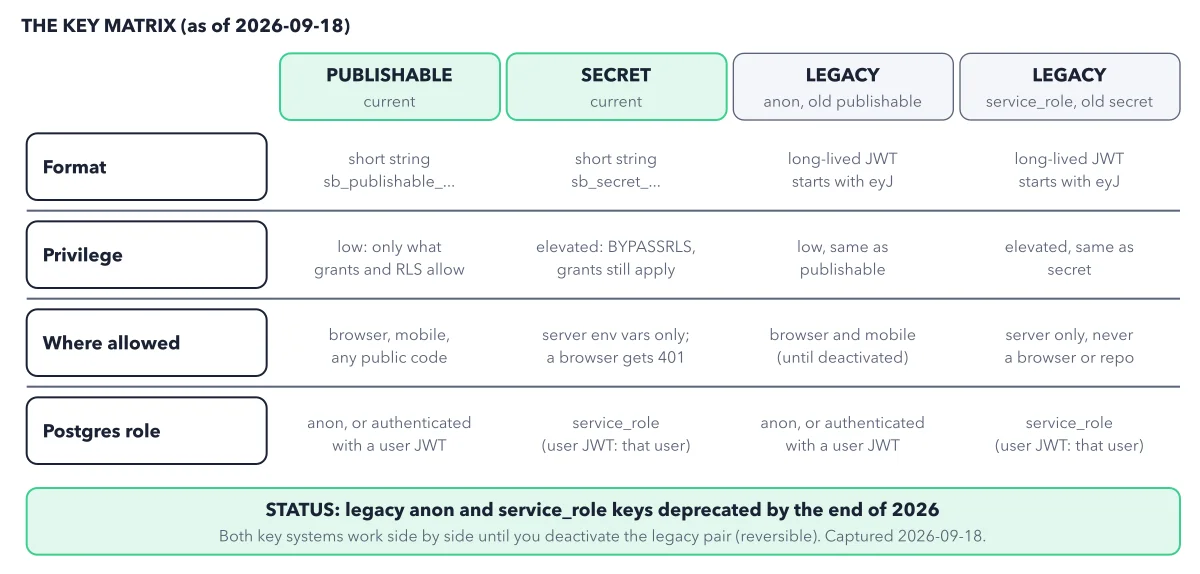
Now follow your server in lane B. Your server sends the secret key from an environment variable. PostgREST becomes service_role, which has BYPASSRLS. Grants are still checked, so a missing grant is 42501 even here. Gate 2 is skipped: the row rules never apply to this role.
Read the two surprises in the box. First, a secret key with a user's JWT attached runs as that user, so RLS applies again. Second, grants are checked for every role, service_role included. "Bypasses RLS" never meant "bypasses grants".
Key takeaways
- When a query fails, walk the chain in order: key, role, grant, policy.
- Read 42501 as a missing grant, and an empty list with no error as a policy that matched nothing.
- Test your tables the way your app calls them, never in the SQL Editor.
Worked example: one table, four callers
Crystal Desk's todos table holds 7 rows: 4 for Ana and 3 for Ben. The roles authenticated and service_role have a grant on it; anon has none. Its policy says each user sees their own rows.
- A browser with nobody signed in sends the publishable key. The role is anon, which has no grant: error 42501.
- The browser with Ana signed in sends the publishable key plus Ana's JWT. The role is authenticated, the grant passes, and the policy returns Ana's 4 rows.
- A server route sends the secret key. The role is service_role, the grant passes, and policies are skipped: all 7 rows.
- The SQL Editor in the Dashboard uses your Dashboard login. It runs as postgres, the owner role, so policies are skipped: all 7 rows.
Result: The last line is the classic false alarm. "It worked in the SQL Editor" proves nothing about your app. Only callers like the first two prove your lock.
Questions readers ask
Do I need RLS if I only query my database from my server?
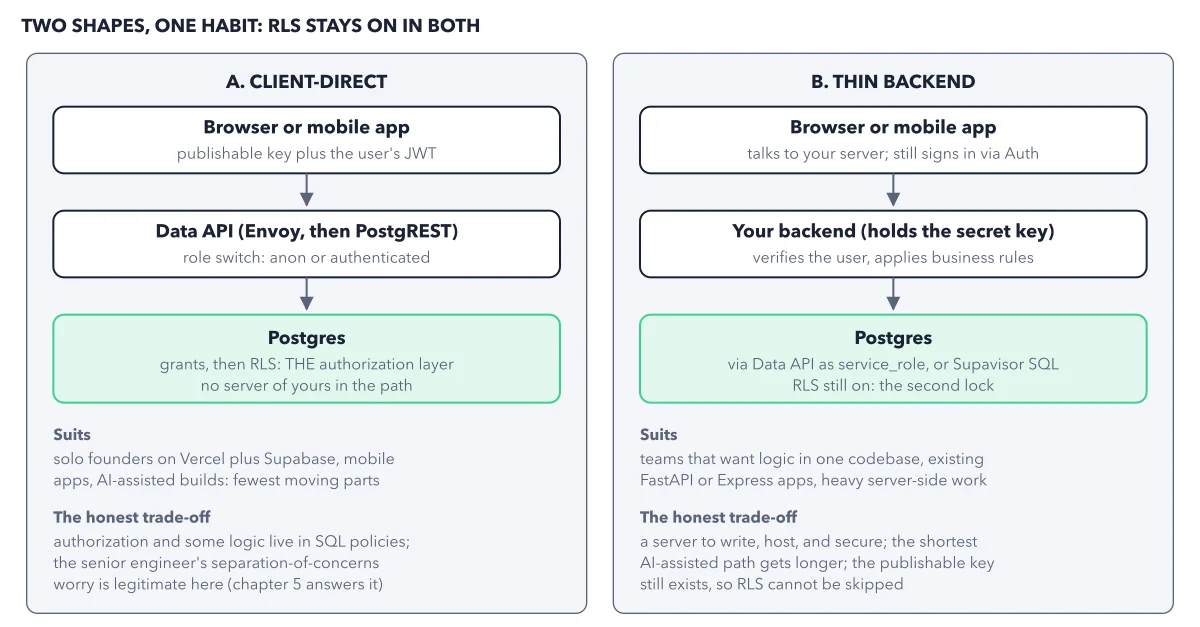
Only if the Data API can still reach the table. If a role holds a grant and the table sits in a schema the Data API exposes, anyone with your publishable key can skip your server and call the table directly. Keep RLS on for every table the Data API can reach. Client direct versus a thin backend compares the two shapes.
Why does my new table say permission denied?
The role has no grant on it. Tables you already have keep their grants, so a working app does not break. The change hits new tables. From 30 October 2026, a new table gets no grants for these roles until you add them, on every project. One statement fixes a new table, such as grant select on public.todos to authenticated;.
Does the service role key bypass grants too?
No. service_role skips policies, not grants. If it has no grant on a table, it gets error 42501 like any other role. With a user's JWT attached, it runs as that user.
How do I fix a missing grant or policy without writing SQL?
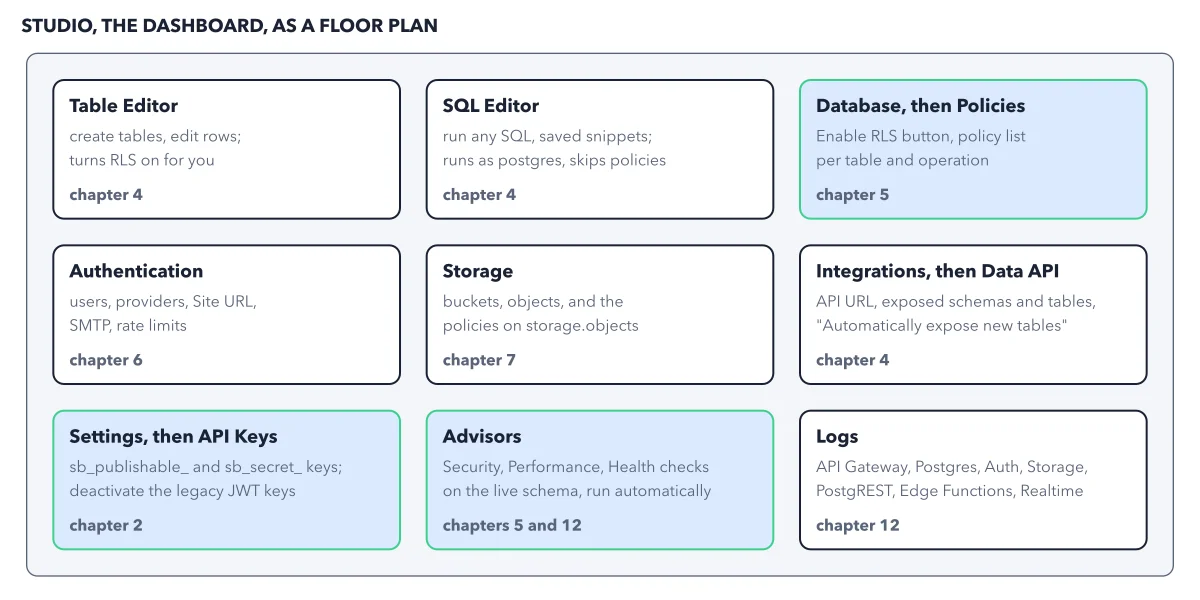
Ask your AI tool for "create the table, grant only what the role needs, enable RLS, and write one policy per operation, naming the role with to." Then open the Security Advisor in the Dashboard: it flags a table with RLS off as "Table publicly accessible". A tool that suggests switching RLS off is working from an old tutorial.
Sources: Securing your API (Supabase docs); PostgREST authentication (PostgREST docs); Tables not exposed to the Data API automatically (Supabase).
This figure is from Supabase Made Crystal Clear, chapter 2.
The chapter builds the idea step by step, with recipes you can follow, a Try it to check yourself, and every source.
Get the book