
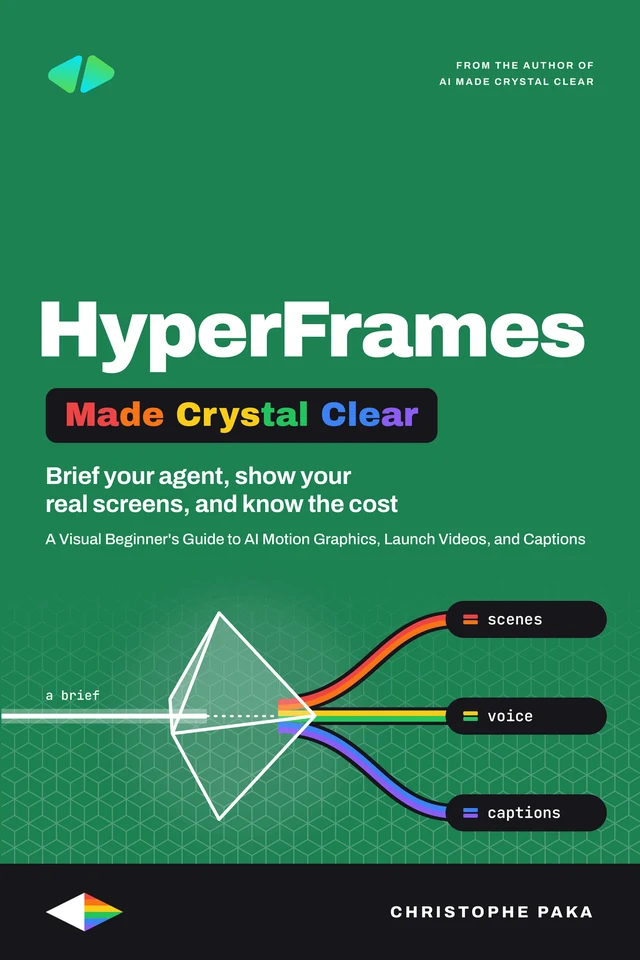
HyperFrames
Made Crystal Clear
 By Christophe Paka · Updated November 15, 2026
A Visual Beginner's Guide to AI Motion Graphics, Launch Videos, and Captions
Who this book is for
In plain words: HyperFrames is a free, open source framework from HeyGen: your AI agent writes a video as a small web project, and HyperFrames renders it into an MP4.
- Founders and marketers who need launch and demo videos but have never opened a motion design app
- Creators who want captions and vertical cuts without fixing every line by hand
- Developers who want video from code, or one video per customer from a template
- Not for: Not for you if you want video painted from a prompt rather than built from your real words and screens. Try AI Video Made Crystal Clear.
You have seen the polished motion videos people make with an AI agent. You tried it, and yours looked generic, or it ate a whole day of prompts. This visual beginner's guide shows you how HyperFrames, HeyGen's open source video tool, turns a web page your agent writes into an MP4, and how you direct the agent so the result looks like yours. Inside, you will learn to make a first short video in the Studio app (no terminal needed) or with the agent you already use, and render it on your own computer; write a brief in four parts (the goal, who it is for, two to four specifics, the exact words in quotes), so the agent stops guessing; approve the shots as still pictures, build one scene at a time, and ask for each change precisely: a length, a color, the exact words; build a launch video and a product demo from your real screens, with your brand colors, fonts and logo locked; add a voiceover, music that stays under the voice, and captions that spell your product names right, in wide, vertical and square versions; and price a month of videos (the tool, your agent's plan, any HeyGen credits) and know when Remotion or a motion designer fits better. Sixteen chapters, 51 diagrams and 32 step by step recipes. Every idea has a diagram, every recipe is numbered with the result you should see, and every chapter ends with a Try it to check yourself. The words stay plain, and the real terms stay in. Whether you are a founder shipping a product, a marketer without a video team, a creator who hates captioning or a developer who wants to render video from code, you finish with a launch kit you made yourself and a habit that makes the next video faster: brief it, build it scene by scene, check the frames.
- Pages
- 200
- Level
- Beginner to advanced
- Updated
- November 15, 2026
12 real pages. Click a page to enlarge it.
Is this you?
- You keep seeing slick motion videos made with Claude and wonder howChapter 1: What HyperFrames Is, and What It Is Not
- Your video came back generic, and you blame the toolChapter 5: Write a Brief the Agent Can Follow
- You burned a whole day on reprompts, and each fix broke something elseChapter 6: Plan, Build Scene by Scene, and Review the Frames
- Your demo needs your real product screens, not invented onesChapter 8: A Launch Video and a Product Demo with Your Real Screens
- You want captions without fixing every line by handChapter 9: Voice, Music, Sound, and Captions
- You are about to pay an agency and want to know what doing it yourself costsChapter 11: What It Costs, Who It Is For, and the Alternatives
16 chapters · 51 diagrams · 32 recipes · 46 checklists · 125 glossary terms · 179 sources
Inside the book
- 01What HyperFrames Is, and What It Is Not
- 02How a Web Page Becomes a Video
- 03Your First Video in the Studio App
- 04Your First Video with Your Own Agent
- 05Write a Brief the Agent Can Follow
- 06Plan, Build Scene by Scene, and Review the Frames
- 07Your Brand on Every Video
- 08A Launch Video and a Product Demo with Your Real Screens
- 09Voice, Music, Sound, and Captions
- 10Every Format: Vertical, Square, Motion Graphics, and Longer Videos
- 11What It Costs, Who It Is For, and the Alternatives
- 12Inside the Project: Compositions, Clips, and Timing
- 13Motion That Renders the Same Every Time
- 14Check, Render, and Fix with the CLI
- 15Templates, Cloud Rendering, and the SDK
- 16Your First 30 Days and the Cheat Sheet
You'll leave with
- Make a first short video in the Studio app (no terminal needed) or with the agent you already use, and render it on your own computer
- Write a brief in four parts (the goal, who it is for, two to four specifics, the exact words in quotes), so the agent stops guessing
- Approve the shots as still pictures, build one scene at a time, and ask for each change precisely: a length, a color, the exact words
About the author
Christophe Paka writes every book on the shelf. He spent years in technical support at Salesforce and Microsoft, where the job was to make complex systems clear to customers who needed them working the same day. He has since built and run software as a founder and lead developer, worked as a Salesforce consultant, and grown a YouTube channel on tech careers past one million views.
This book was last updated on November 15, 2026.
Connect on LinkedIn →For teams
Put HyperFrames on every desk at your company.
One licence, every book in the series, one link for everyone. From $250 a year.
Sources
Every source cited in HyperFrames Made Crystal Clear. Each number matches the [n] marker next to that link in the book's "Go deeper" lists, so you can trace any claim back to its origin.
- [1]What is HyperFrames?
- [2]HyperFrames FAQ
- [3]Inspiration (examples, blocks, templates)
- [4]What do you want to make?
- [5]GitHub repository and README
- [6]Apache 2.0 licence file
- [7]GitHub releases (v0.9.42, 2026-11-13)
- [8]npm package hyperframes
Show all 179 sources
- [9]Make your first video (quickstart)
- [10]Free lessons
- [11]Lesson: The brief
- [12]Lesson: Review and correct
- [13]30 Days of HyperFrames
- [14]Install the Studio app
- [15]Studio app download
- [16]Make your first video in the Studio app
- [17]Continue a Claude Code or Codex project in Studio
- [18]Reference any video to recreate its style
- [19]Use your brand kit
- [20]Make clips with HeyGen Video 1
- [21]Edit a video with the agent
- [22]Find your way around a project
- [23]Connect your agent
- [24]Export a video
- [25]Share your video for review
- [26]HyperFrames pricing
- [27]Make videos with Claude Code
- [28]Make videos with Codex
- [29]Make videos with Cursor
- [30]Create through an AI chat (MCP connector, beta)
- [31]Make videos with a free agent
- [32]Install and update agent skills
- [33]Install the HyperFrames plugin
- [34]Bring in a design: Figma, Claude Design, Open Design
- [35]Authentication and API keys
- [36]Make a product launch video with AI
- [37]Make an explainer video with AI
- [38]Make any other video
- [39]Make motion graphics with AI
- [40]Make a music video or lyric video
- [41]Turn a GitHub PR into a video
- [42]Make an interactive presentation with AI
- [43]Add captions to a video with AI
- [44]Add an AI avatar presenter to a video
- [45]Add voice, music and sound
- [46]Ask for a great video
- [47]Ask for smooth motion and transitions
- [48]Verified example prompts
- [49]Editing existing videos
- [50]Recreating something you saw
- [51]Text, captions and code on screen
- [52]Colour, effects, 3D and generated art
- [53]Turn data into an animated video
- [54]Brand, templates and storyboards
- [55]A full film, prompt by prompt
- [56]HyperFrames vs Remotion
- [57]Move from Remotion to HyperFrames
- [58]HeyGen CLI (HeyGen developer docs)
- [59]Remotion License
- [60]How a HyperFrames project works
- [61]Compositions
- [62]Reuse a design with variables
- [63]Time elements with data attributes
- [64]Frame adapters
- [65]Deterministic Rendering
- [66]Animate with GSAP
- [67]Frame sources
- [68]Imported film HTML
- [69]HTML in Canvas
- [70]Motion Blur
- [71]Per-pixel effects with data-vfx-chain
- [72]Figma integration
- [73]HTML schema reference
- [74]Color grading implementation
- [75]Audio effects implementation
- [76]Speed ramps
- [77]Lint rules
- [78]Work with media
- [79]Add images and video clips
- [80]Add voiceover, music, sound effects and captions
- [81]Remove a video background
- [82]Add effects to images and video
- [83]Render a video to MP4
- [84]Edit in the browser editor
- [85]Edit on the canvas
- [86]Edit timing on the timeline
- [87]Mix audio
- [88]Captions, assets and variables
- [89]Export and slideshows
- [90]Troubleshooting
- [91]Catalog index for agents (449 pages)
- [92]Catalog list by category (llms index)
- [93]Catalog: Scenes and demos list (llms index)
- [94]HyperFrames Catalog
- [95]How HyperFrames fits into an application
- [96]Build on HyperFrames
- [97]CLI guide
- [98]CLI
- [99]Editable source in a share
- [100]How catalog search works
- [101]Running the CLI from an agent harness
- [102]@hyperframes/lint
- [103]Render from the command line
- [104]4K rendering
- [105]Render HDR video
- [106]Fix a slow preview or render
- [107]Choose a rendering path
- [108]Cloud rendering
- [109]Deploy a preview and render API
- [110]AWS Lambda
- [111]Google Cloud Run
- [112]Render templates on Lambda
- [113]Migrating to HyperFrames Lambda
- [114]@hyperframes/aws-lambda
- [115]@hyperframes/gcp-cloud-run
- [116]Edit a composition with the SDK
- [117]@hyperframes/sdk
- [118]Querying & Editing Elements
- [119]Edit Operations
- [120]@hyperframes/core
- [121]@hyperframes/parsers
- [122]@hyperframes/studio-server
- [123]@hyperframes/engine
- [124]@hyperframes/player
- [125]@hyperframes/producer
- [126]@hyperframes/shader-transitions
- [127]@hyperframes/studio
- [128]Let an agent drive Studio
- [129]Changelog
- [130]Product updates
- [131]Weekly updates
- [132]Release channels
- [133]Adopters
- [134]npm registry metadata for hyperframes (versions and dist tags)
- [135]HTML to Video Was Not Easy: Here's How We Solved It (HeyGen research, James Russo)
- [136]HTML Is All Agents Need (AI Engineer World's Fair 2026 talk)
- [137]HeyGen Open-Sources HyperFrames: Video as Code (Menon Lab)
- [138]HeyGen HyperFrames: How an HTML Page Becomes a Video (yuv.ai)
- [139]HyperFrames: An Open-source Rendering Framework for Generating Video with HTML (silenceper)
- [140]Show HN: HyperFrames (Hacker News)
- [141]Remotion License and Pricing
- [142]Remotion home page
- [143]Motion Canvas
- [144]Motion Canvas on GitHub
- [145]Revideo on GitHub
- [146]Shotstack pricing
- [147]Creatomate pricing
- [148]HeyGen pricing
- [149]Canva AI video explained (Magic Hour)
- [150]GSAP Standard "No Charge" License
- [151]Chrome Headless mode (Chrome for Developers)
- [152]About FFmpeg
- [153]Hyperframes Cloud Rendering (HeyGen developer docs)
- [154]HeyGen developer docs index: Self Serve Pricing shown after sign in at platform.heygen.com
- [155]HyperFrames app changelog
- [156]GitHub API: heygen-com/hyperframes repository metadata
- [157]GitHub release v0.4.0 (published 2026-04-16)
- [158]npm downloads API: hyperframes, week 2026-11-06 to 2026-11-12
- [159]HeyGen April 2026 release (HeyGen blog)
- [160]Benchmarking Code-to-Video: Evaluating AI Agents on the Art of Motion Design (HeyGen research, 2026-09-18)
- [161]Code2Video-AA (Artificial Analysis)
- [162]Remotion License FAQ
- [163]Webflow makes GSAP 100% free (Webflow blog, last updated 2025-04-30)
- [164]FFmpeg License and Legal Considerations
- [165]GitHub API: redotvideo/revideo metadata
- [166]GitHub API: motion-canvas/motion-canvas metadata
- [167]Claude plans and pricing
- [168]Codex Pricing (OpenAI developers)
- [169]Canva Pricing 2026 (Piktochart blog)
- [170]Install HyperFrames on Linux (ComputingForGeeks)
- [171]Download Node.js
- [172]Download FFmpeg
- [173]ChatGPT plans and Codex pricing
- [174]HyperFrames Discord
- [175]HyperFrames GitHub Issues
- [176]@HyperFrames_ on X
- [177]r/ClaudeAI
- [178]r/RemotionCreators
- [179]r/heygen
Also in the series
41 more titles, one tool or topic each. Swipe or use the arrows.
Microsoft Copilot
Available
Obsidian
Available
OpenCode
Available
AI Go-To-Market
Available
Higgsfield
Available
Kubernetes
Available
Cloudflare
Available
Jev
Available
Supabase
Available
AI Video
Available
Zernio
Available
Make.com
Available
Codex
Available
Hugging Face
Available
Modal
Available
Lovable
Available
Vapi
Available
n8n
Available
AI Agents
Available
Tech Hiring
Available
ElevenLabs
Available
AI
Available
Claude Code
Available
Git
Available
Kimi Code
Available
Hermes Agent
Available
GitHub
Available
Docker
Available
Qwen
Available
Llama
Available
DeepSeek
Available
OpenRouter
Available
GLM
Available
Gemini
Available
Mistral
Available
OpenClaw
Available
Grok Bot
Available
Vercel
Available
Fly.io
Available
Cursor
Available
The +1 Method
AvailableNew books, in your inbox
One short note when a new Made Crystal Clear guide ships.
No spam, unsubscribe anytime.